Changelog

Follow new updates and improvements to kapptivate.

August 12th, 2026

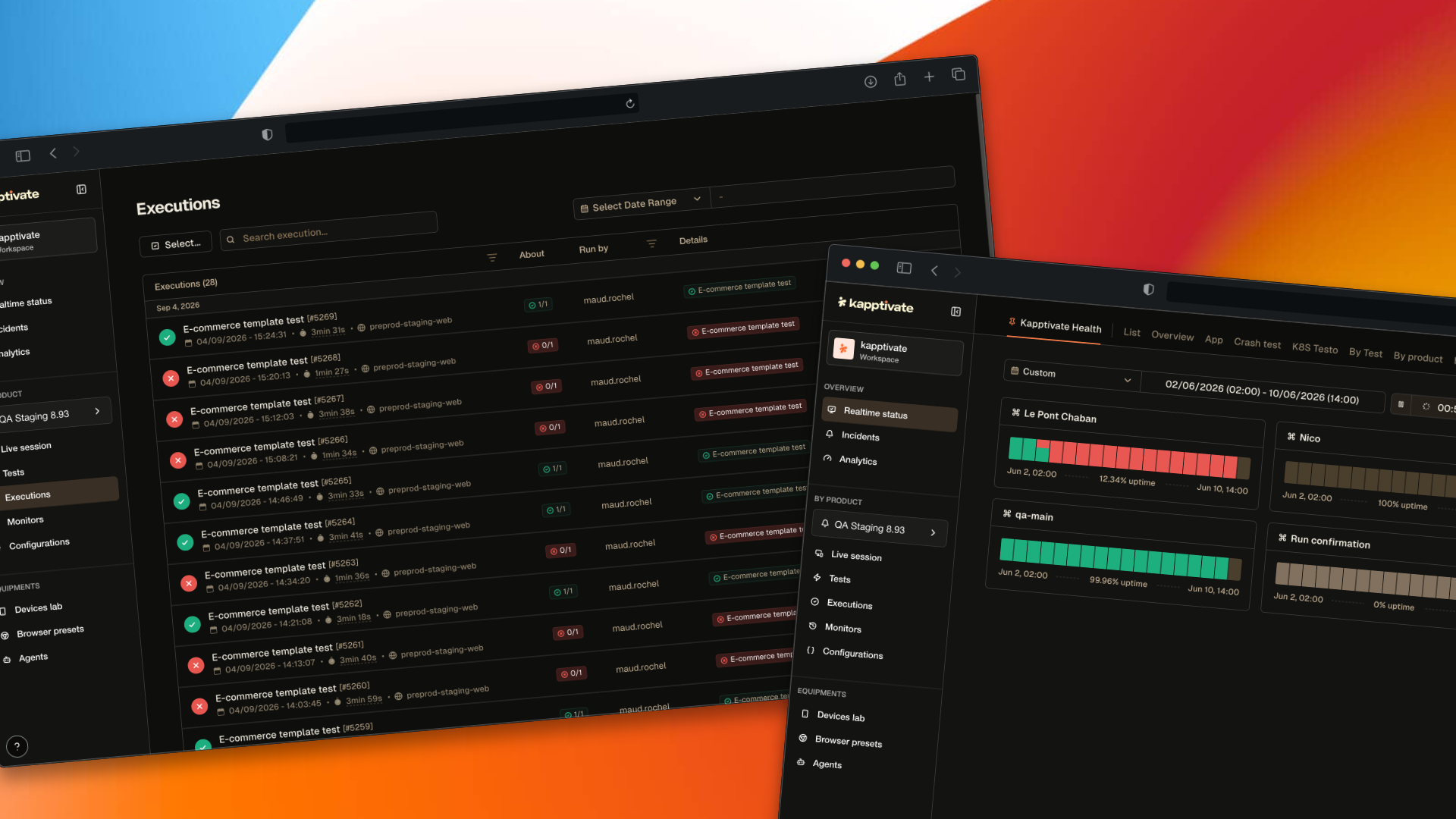
Overview showed the same thing as Realtime status, so the two have been merged into one. The detail view behind it has not gone anywhere either: Status details has been rebuilt as Realtime details, with a Display menu that holds everything about how the timeline is drawn, from orientation and density down to a toggle for every element on the page. This release also brings a new API Call step for web tests and makes test variables editable and overridable everywhere.

🧹 Removed: the Overview page

Overview no longer appears in the sidebar. It answered the same question as Realtime status, from the same monitoring results, with two fixed readings and a filter on zones. Anything you did there, Realtime status already did with far more control, so we kept the one that could grow and put the effort into it and into the detail page behind it.

Nothing was dropped, and nothing is broken: old Overview links redirect to Realtime status. The Overview section of the sidebar is still there, and still holds Realtime status, Incidents and Analytics.

πŸ‘‰ Where did the Overview page go?

πŸ“Ί New: Realtime details

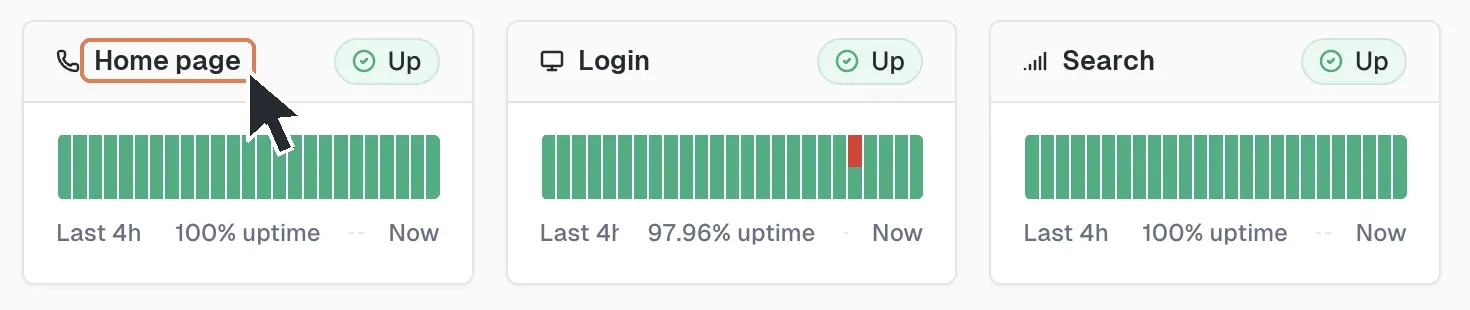
A row of product cards in Realtime status. The name of the first card is ringed and a pointer rests on it, marking it as the link that opens Realtime details

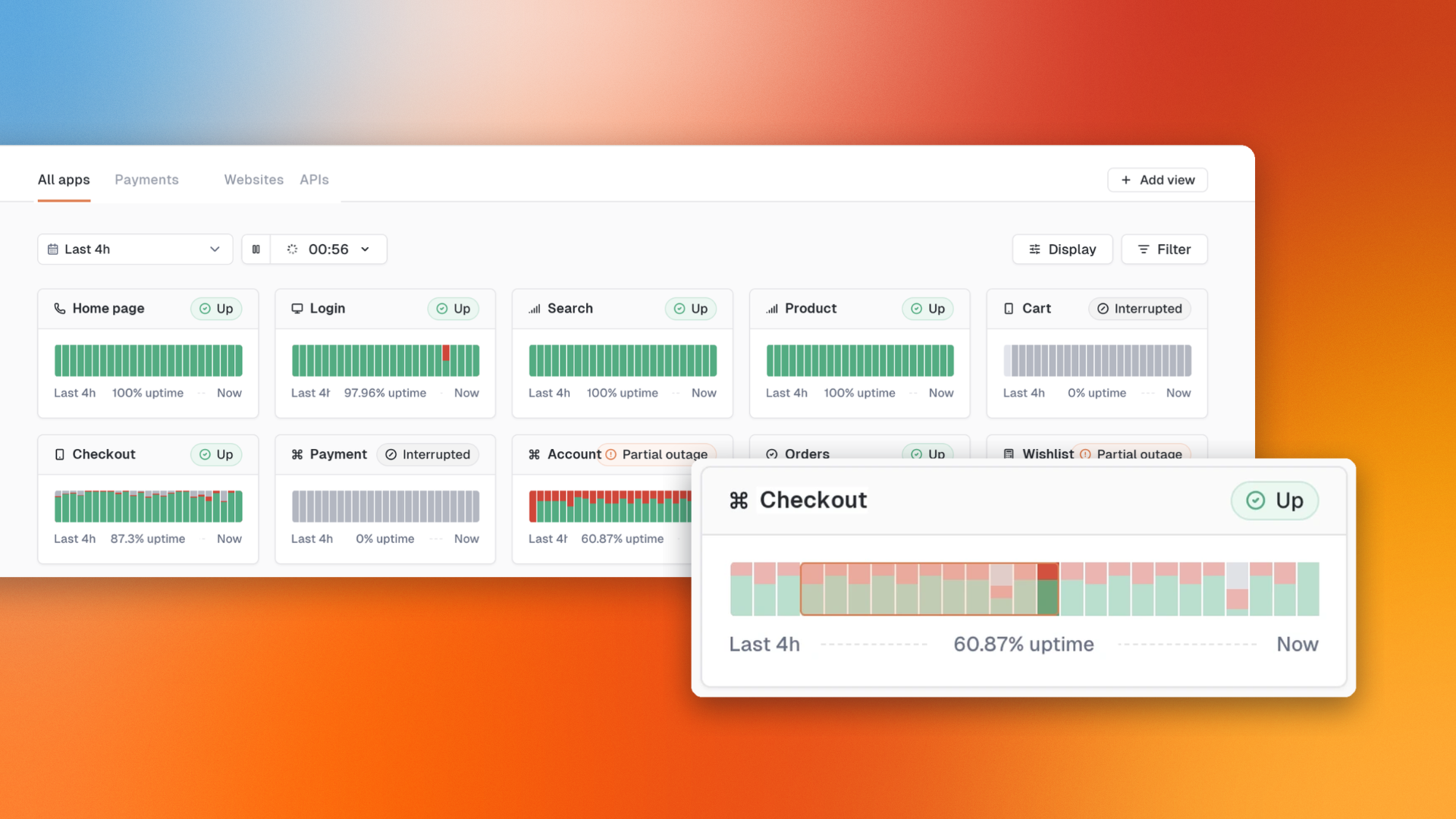
Realtime status cards now open the rebuilt detail page. The timeline is the same idea as before, one cell per monitor per period, rebuilt so you can shape it.

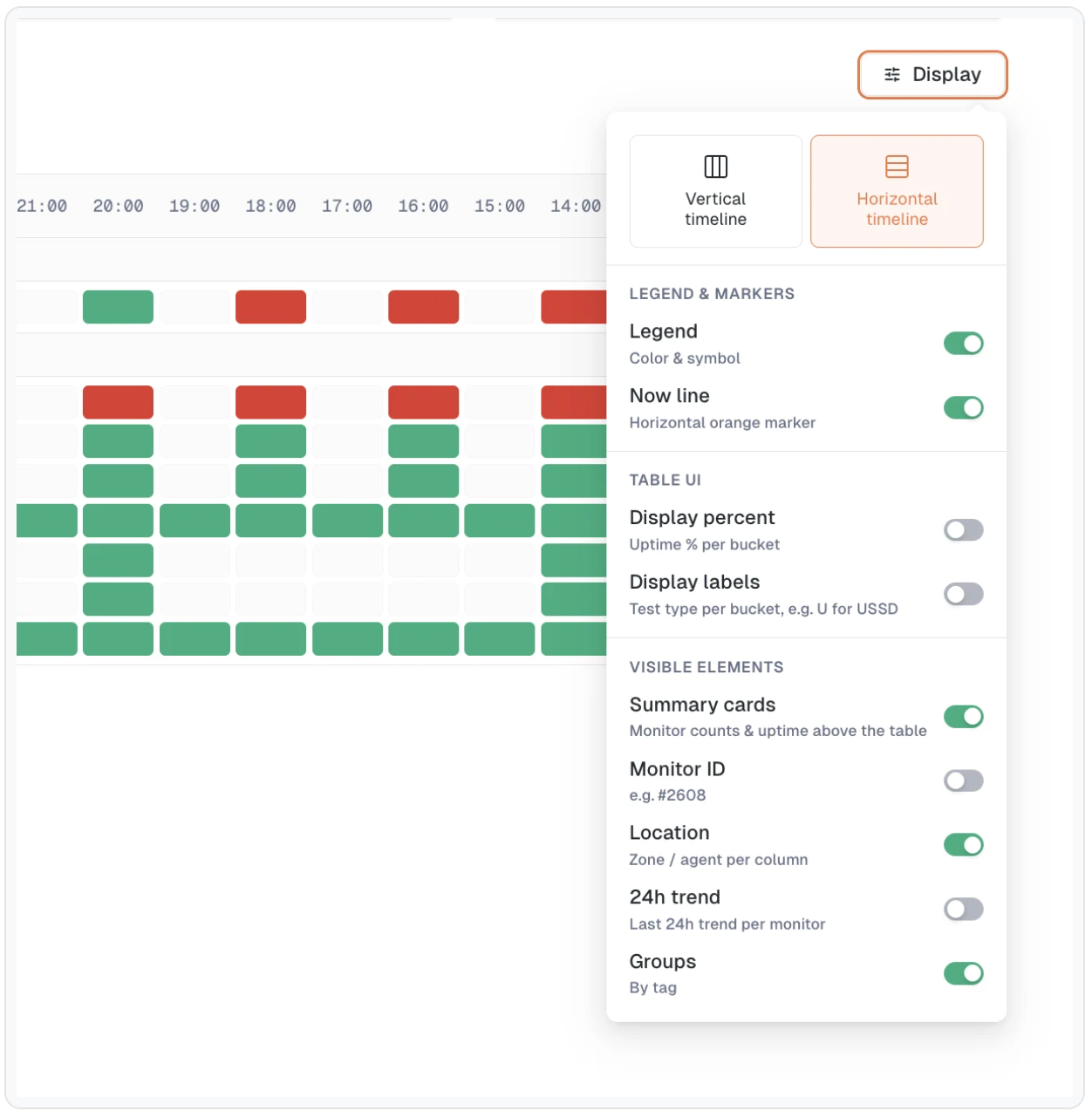
The Display menu

One button now holds everything about how the timeline is drawn.

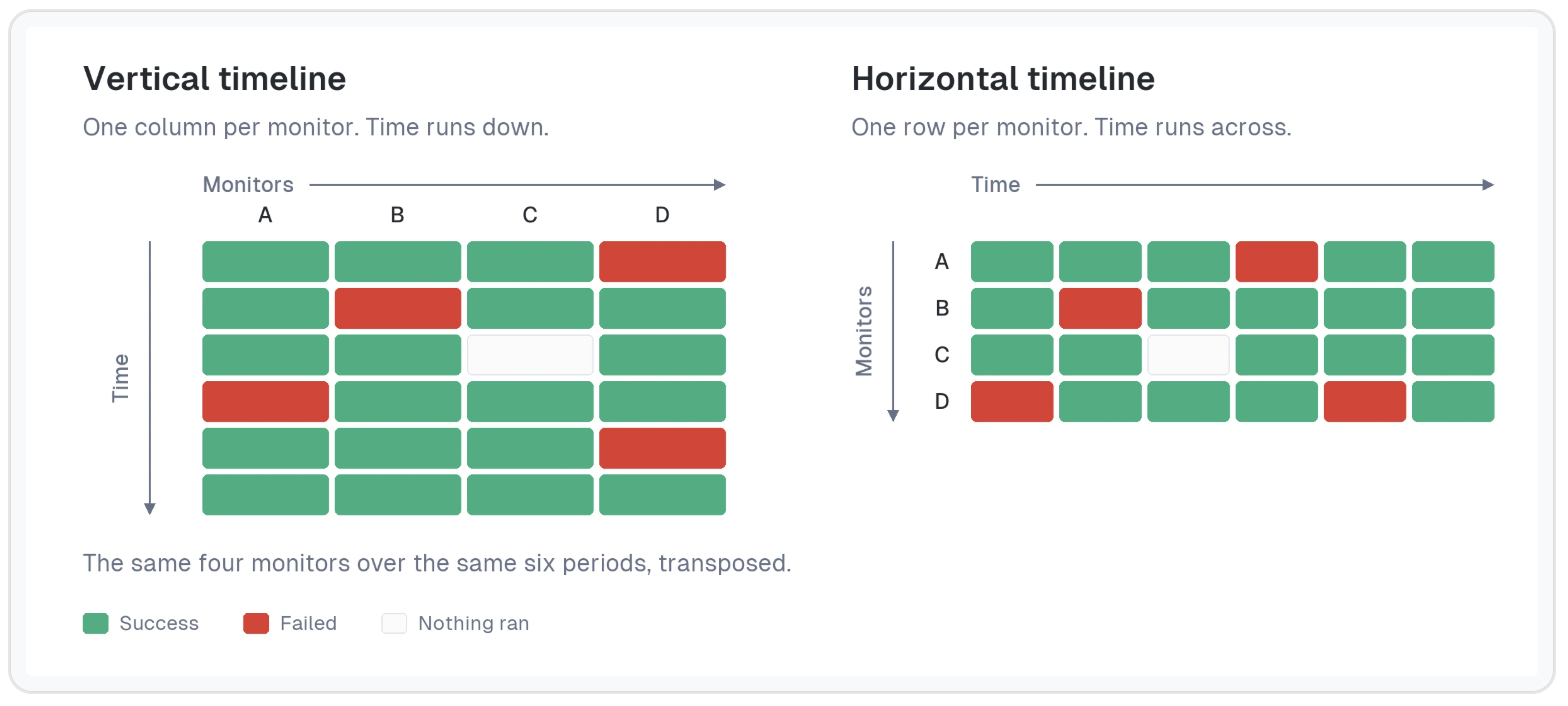
  • Orientation: the vertical timeline is now the default, with each monitor in a column and time running down. The horizontal one is still there.

  • Density, on the vertical timeline: Normal or Compact. Compact narrows the monitor columns so many more monitors fit on screen.

  • Summary cards can be hidden, which gives the timeline the full height.

  • Display labels brings back the test type inside each bucket.

  • The Monitor ID, Location and 24h trend options now apply to the vertical timeline too.

Read it more easily

  • Filter by test, with a search field to find a test by keyword

  • The Monitors column is resizable, so long names stay readable

  • Hovering a monitor column shows its full name, and cell tooltips name the monitor they belong to

  • The tag row disappears on its own when none of the visible monitors is tagged

  • The page scrolls as one, with the table headers pinned so they stay visible as you go down

TV mode, side by side
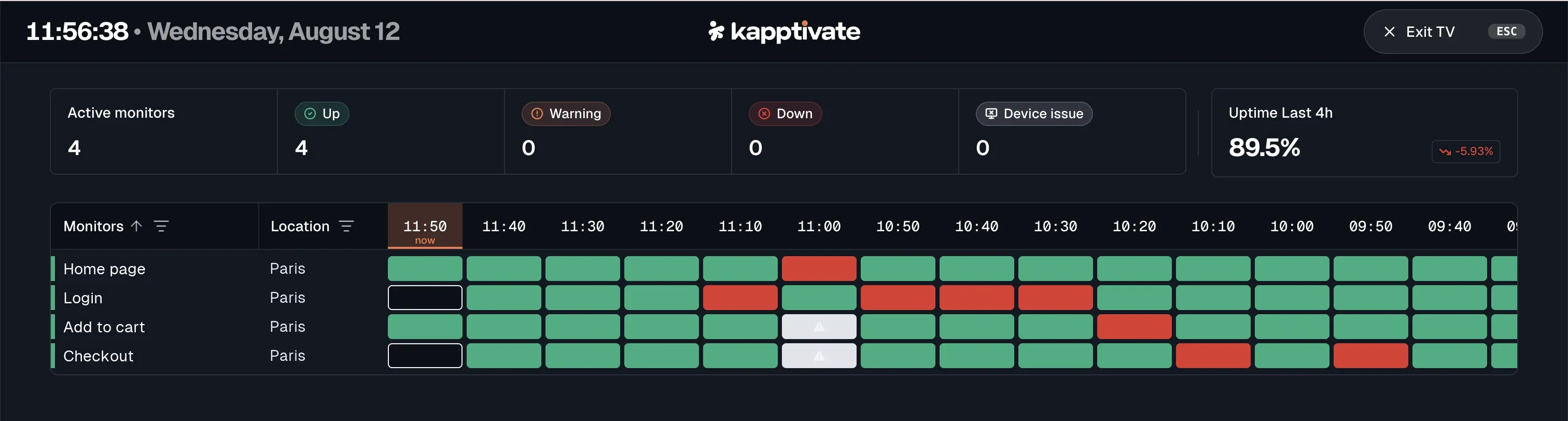
When it is on, it hides the left navigation entirely to give the timeline the full window width.

TV mode on Realtime details: a dark full-width display with the current time and date, the summary cards, and the monitor timeline below

Your view follows you

Your settings are remembered between visits, and the URL now carries the view. A link reopens the page identically for whoever you share it with: same filters, same orientation, same options.

Faster on large products

The page renders noticeably faster on products carrying many monitors. The 24h trend column no longer redraws itself while the page sits open, which was the most visible flaw on a screen left running all day. And on long time ranges, the finest aggregations are no longer offered, since they produced tables too dense to read.

πŸ“Œ The old detail view goes away next release. You can still switch back to it from Realtime details, but that switch is on its way out. Take the time to set up your view now, and tell us if anything you relied on is missing.

πŸ”Œ New: API Call step

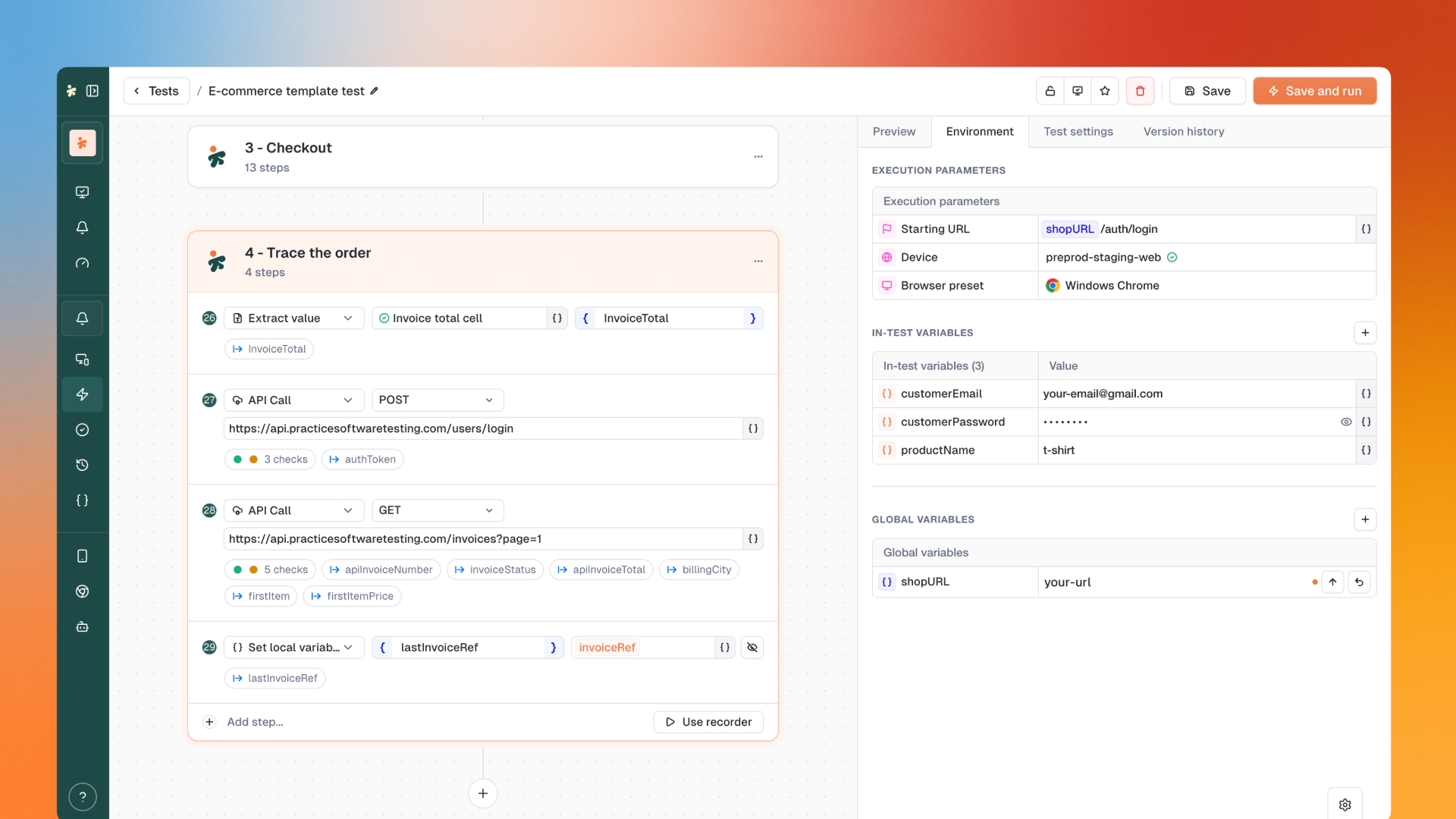
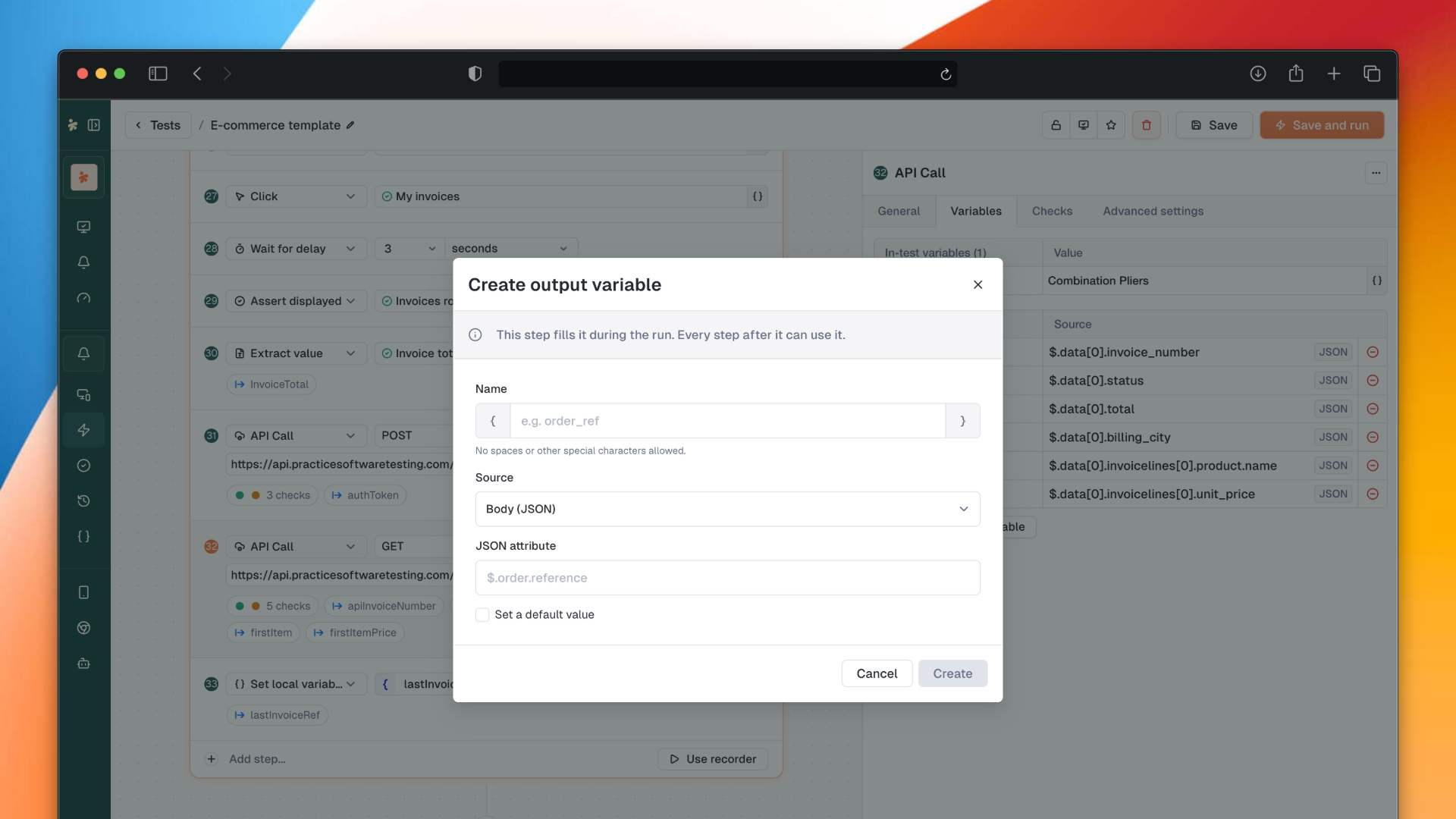
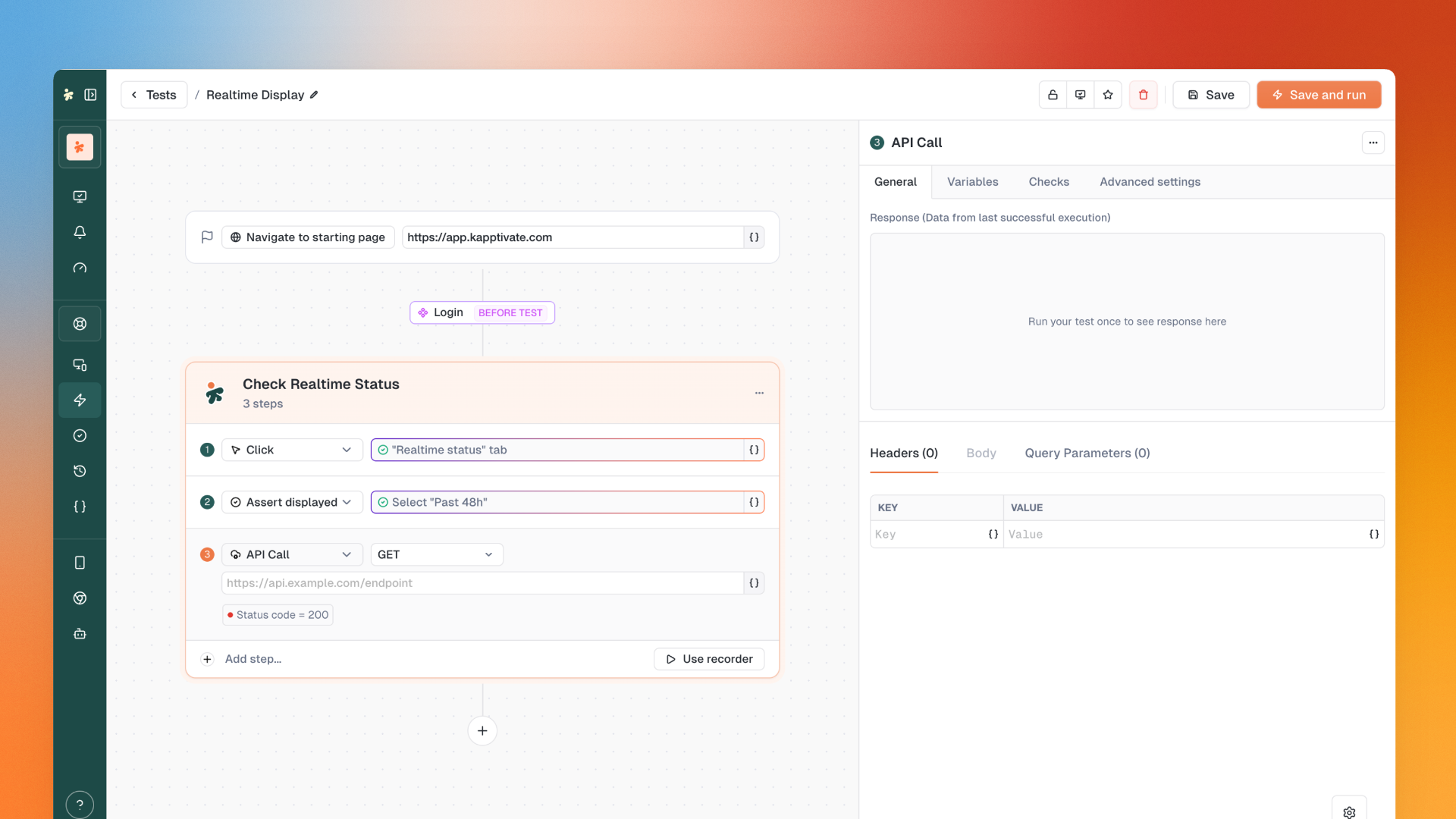
A new step type for web tests (new experience, soon for smartphone tests) to make HTTP requests as part of your journeys.

⚠️ Update your robots first. On an older robot, the step fails. Check your robot versions from the Agents page and update them before adding API Call steps to your tests.

Build the request: method, URL, headers, query parameters and body. Every field is variable aware, so you can reuse globals, variable groups and test variables.

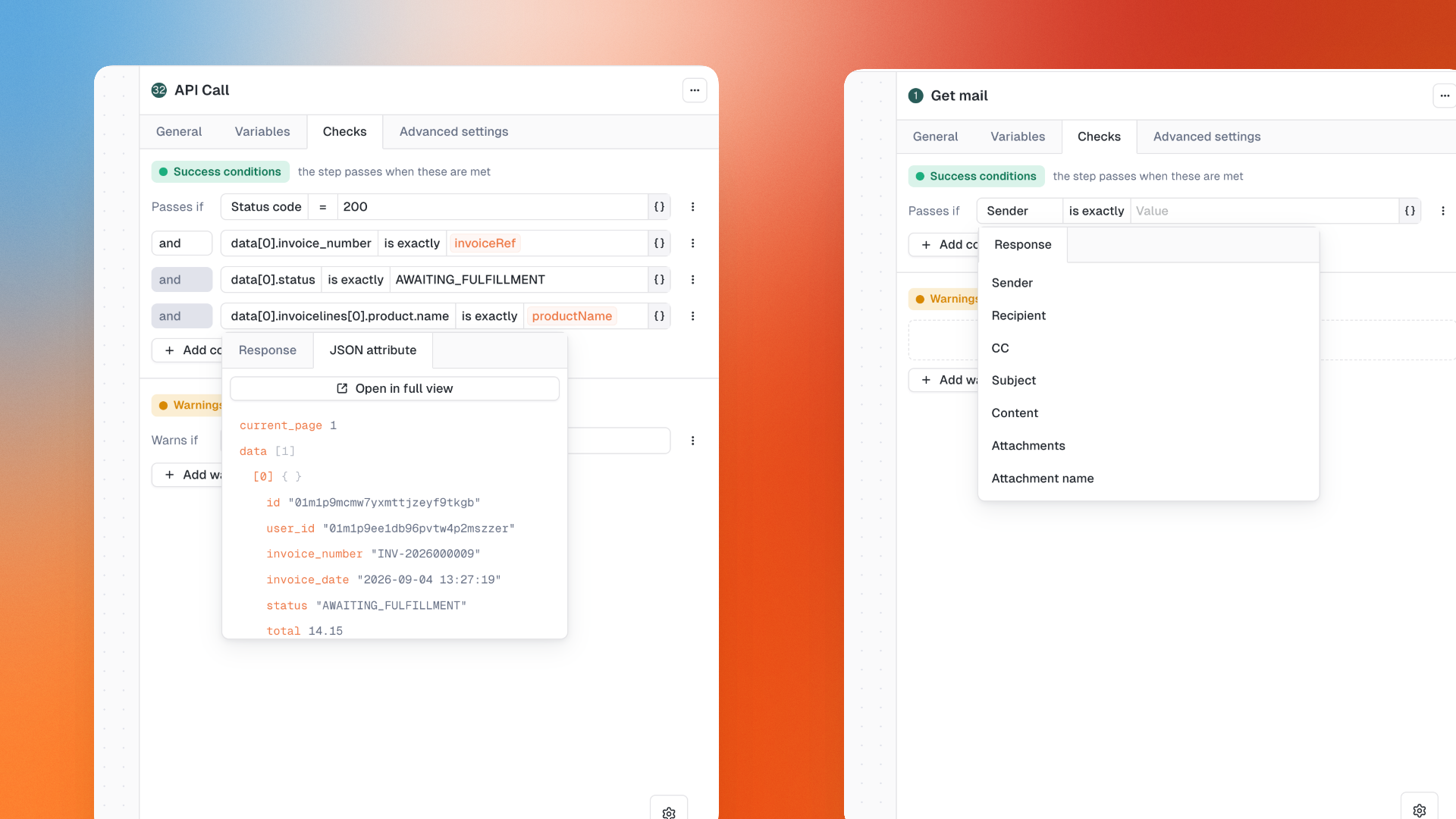
Assert on the response from the Checks tab: status code, timing, headers and body.

Inspect the result: the full response (body, headers, performance) is available in the test results, and the last captured response is previewed directly in the editor right after a run.

Advanced options:

  • Override DNS with one or several DNS servers, with templating supported in the field

  • "Accept insecure certificates", consistent with the rest of the web test options

🧬 New: test variables, editable and overridable everywhere

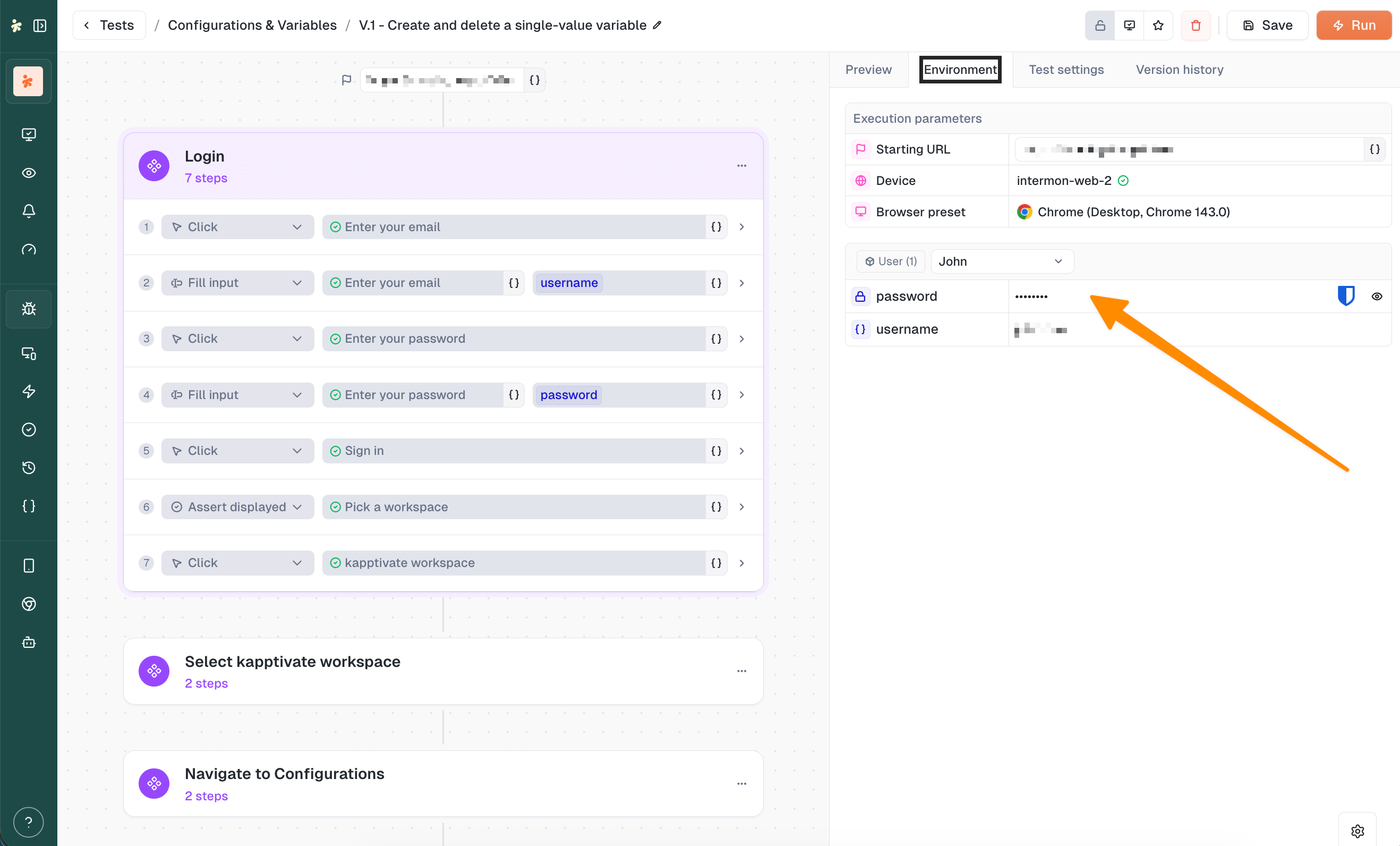
Test variables of Web and Smartphone V2 tests are no longer read only.

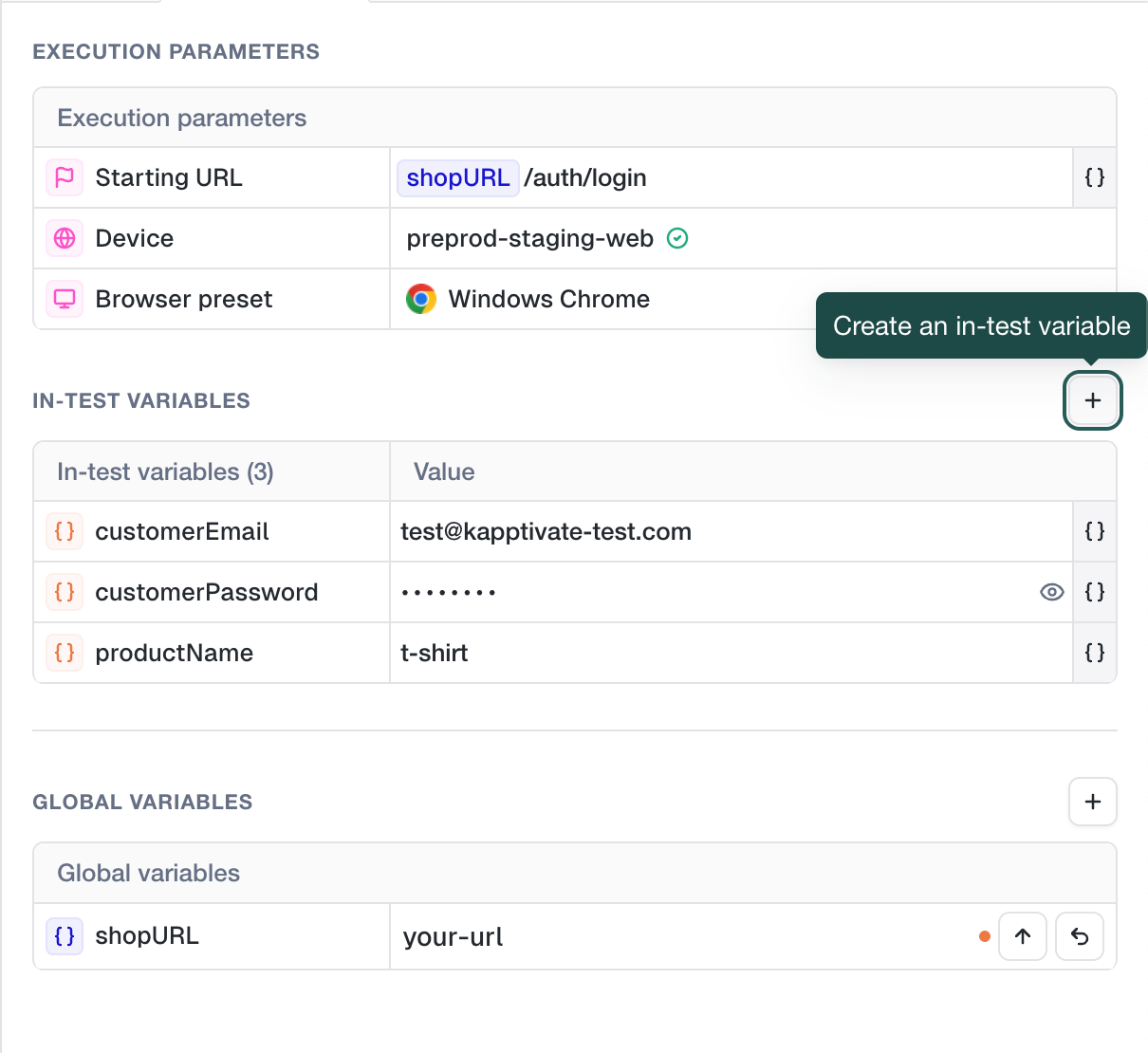
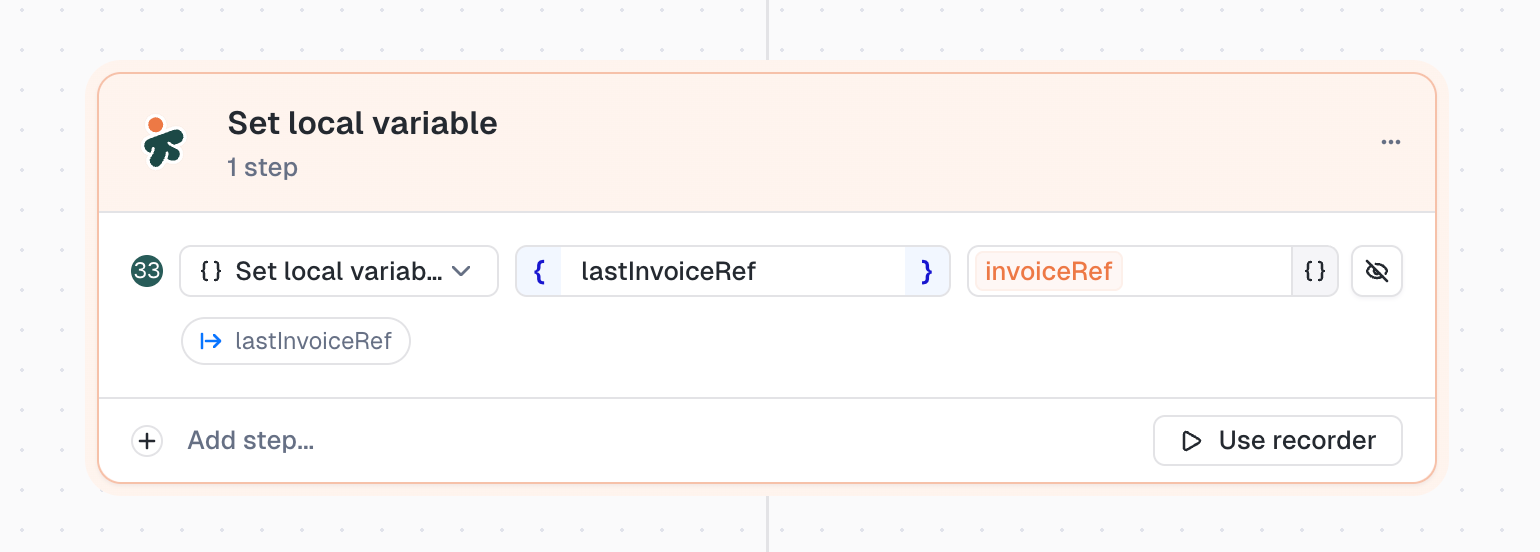
  • Edit them from the Environment tab and the step panel, always in sync with their set variable step

  • Create an in test variable straight from the suggestions dropdown in the test form, and give it a rich value (globals, random functions, other test variables)

  • Override them at launch, from the run confirmation drawer and from the monitor form, with support for variable references and random functions

  • Override them from a test suite: edit them in the suite's test drawer with the rich variable table, see them as tags on the test rows, and have them reused when the suite runs

  • See them in results: the monitor result modal now shows the variables tab, like the execution result page, and rich values are rendered as tags

πŸ“Š In progress: Observability

Our observability offer is still being built, and it is not open to everyone yet. It is progressing well, so here is where it stands.

  • New Explore pages: Logs, Traces, Service map, Usage & ingestion

  • Embedded Perses dashboards with ClickHouse SQL and TraceQuery panels

  • Live lifecycle chips on ClickHouse results

  • Revamped admin OTLP setup page

Want to try it early, or tell us what you would need from it? Get in touch, we are onboarding accounts progressively.

✨ Other improvements

  • Step actions (split from here, duplicate, delete) are grouped in a dropdown menu in the test editor's right panel

  • Unsaved changes dialog now offers a close cross and a "Save and leave" action next to "Leave without saving"

  • Opening a test now expands the first editable step group instead of a leading reusable component

  • Clearer page titles: execution and monitor result tabs show "#id name", and alert / mail report edit pages show the entity name

  • Kubernetes and Usage page headers now align on the design system

  • Variable name inputs (set variable, extract, sms code, mail code, mail link) no longer show the dead {} suggestions button

  • Variables assigned by a custom step's script (test.variables.set) no longer appear in the test variables tables, since their runtime value would be overwritten by the script

πŸ› Fixes

  • Switching between the two versions of the detail page keeps the selected aggregation and zones, not only the time range

  • Opening Realtime details from a card grouped by test now lands on a test filter that can be changed or cleared

  • A monitor with no location no longer shows an empty location pin on the table

  • Picking a time range now applies that range's default aggregation

  • Timeline tooltips of the Realtime status view are no longer cut off near the screen edges

  • No more double scrollbar on the timeline

  • Variable overrides at run confirmation: select all then typing now replaces the whole value, function tokens included

  • Built in random functions can be inserted in a test variable value from the run queue

  • The variables tab of a test result no longer crashes when a variable value is a rich template

  • The variable edit modal now shows the variable's description

  • Variables inside a variable group can now be edited by clicking their name, like global variables

  • Editing a variable value in the Environment tab now turns the Run button into "Save and run"

  • Variable creation restored from the Configurations page and the test form

  • API Call: checking "Override DNS" no longer crashes the form, the HTTP method is saved even when left on GET, a HEAD request no longer shows an empty response body, and the sent request headers are accessible on a GET

  • API test results are easier to read: assertion rows are compact and nested under their step, and an expanded step no longer leaves a large blank area

  • The Pretty / Raw toggle of the API response viewer is always shown and works

  • Times displayed next to a date range picker now follow your 12h / 24h preference

  • The execution mode is preserved when using "Run again" on an execution

  • Switching product while on a test detail page no longer leaves a blank page, the app lands on the tests list of the new product

  • Fixed an infinite loading screen when going back to the tests list from the legacy test edit page

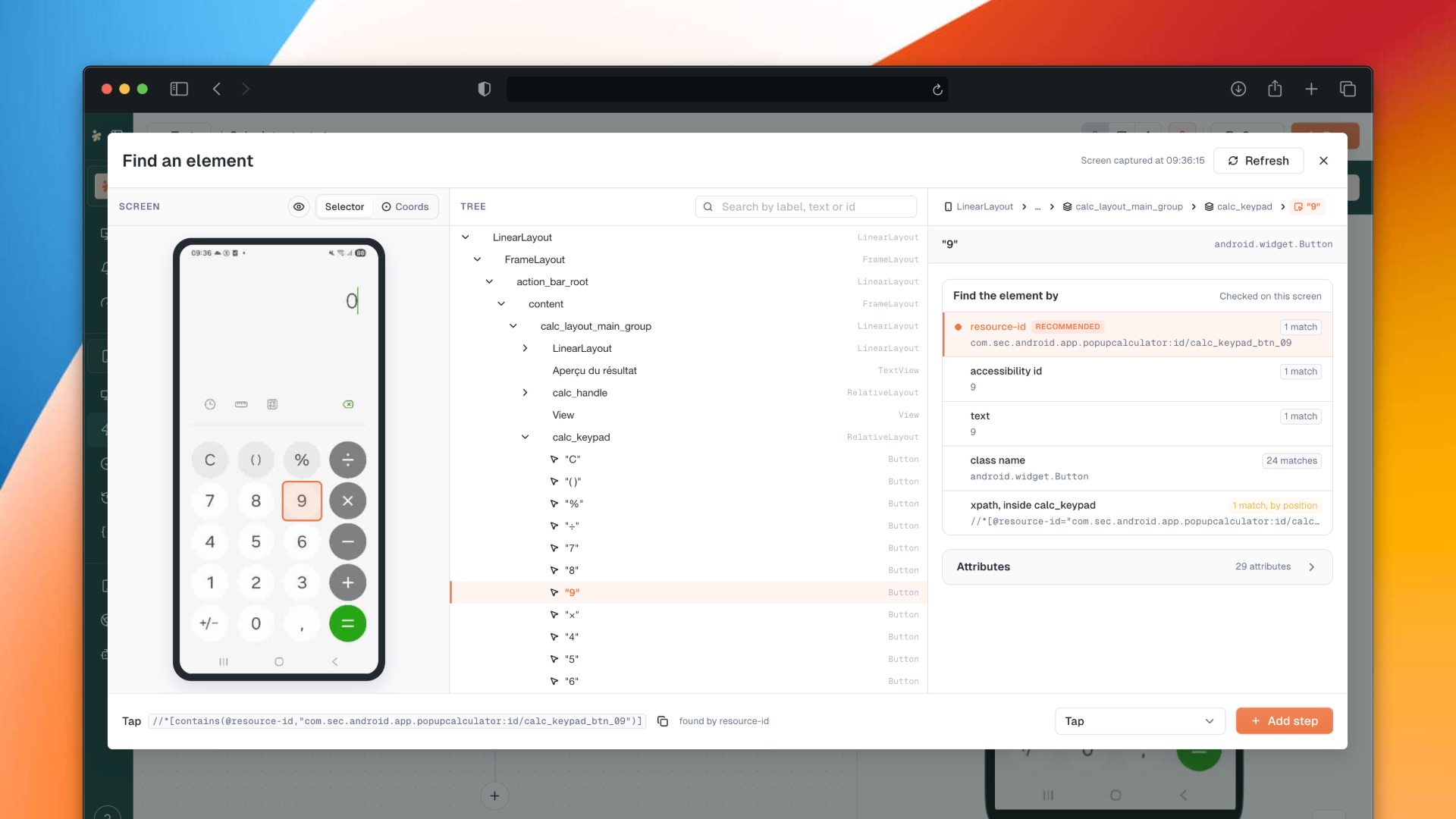
  • The XML tree inspector button in the smartphone recorder and the copy xpath button inside the modal display their icons again

  • The confirmation input is now focused when opening the product deletion dialog

  • The app automatically reloads again when a new version is deployed

  • Visual polish across the V2 test editor: step cards, variable inputs, run confirmation and campaigns table

June 15th, 2026

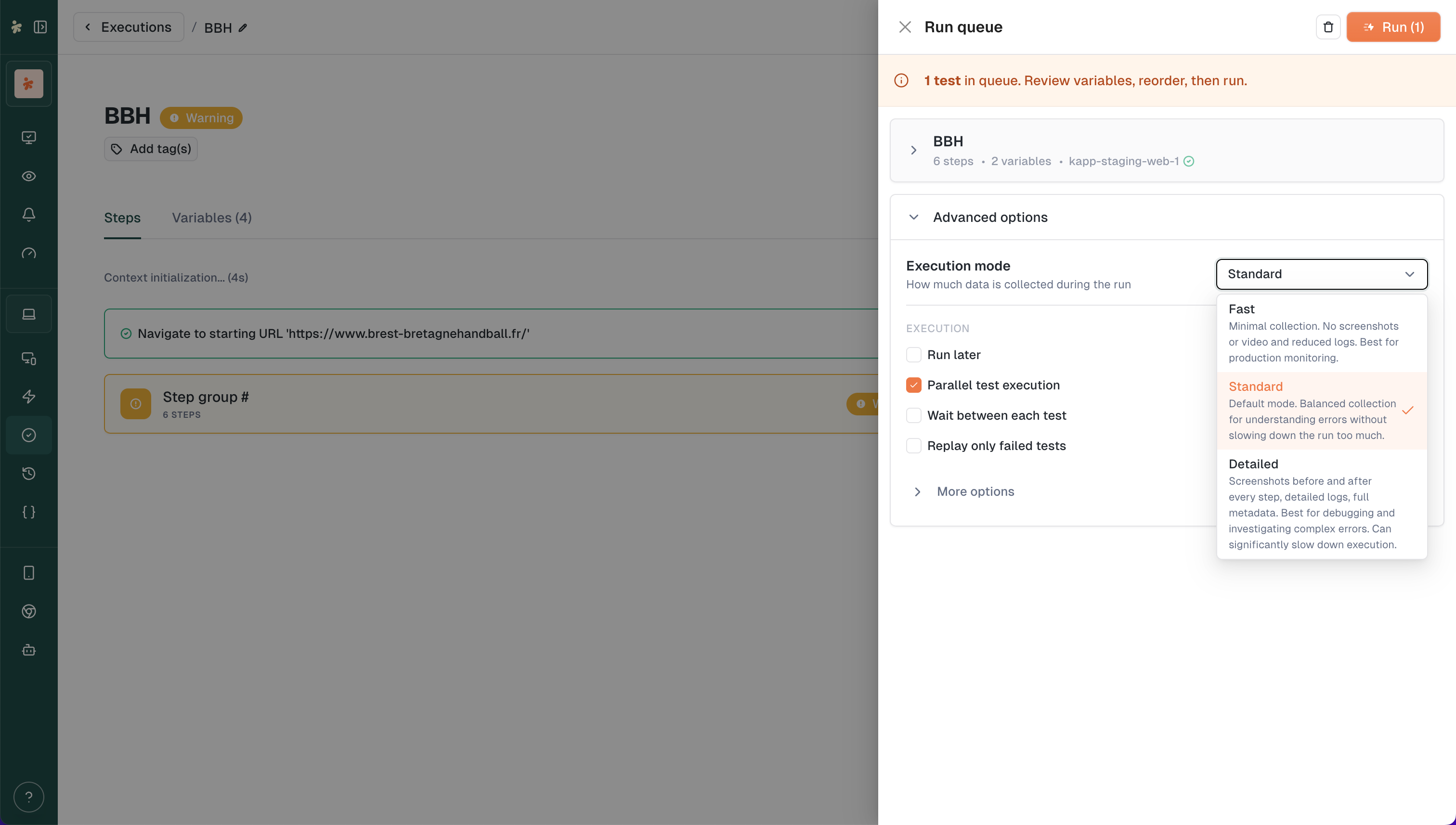
The entire test launching experience has been redesigned. The run queue and run confirmation are now merged into a single drawer that keeps you in context. Plus, you can now choose how much data to collect on each run.

⚑ New: Execution Modes

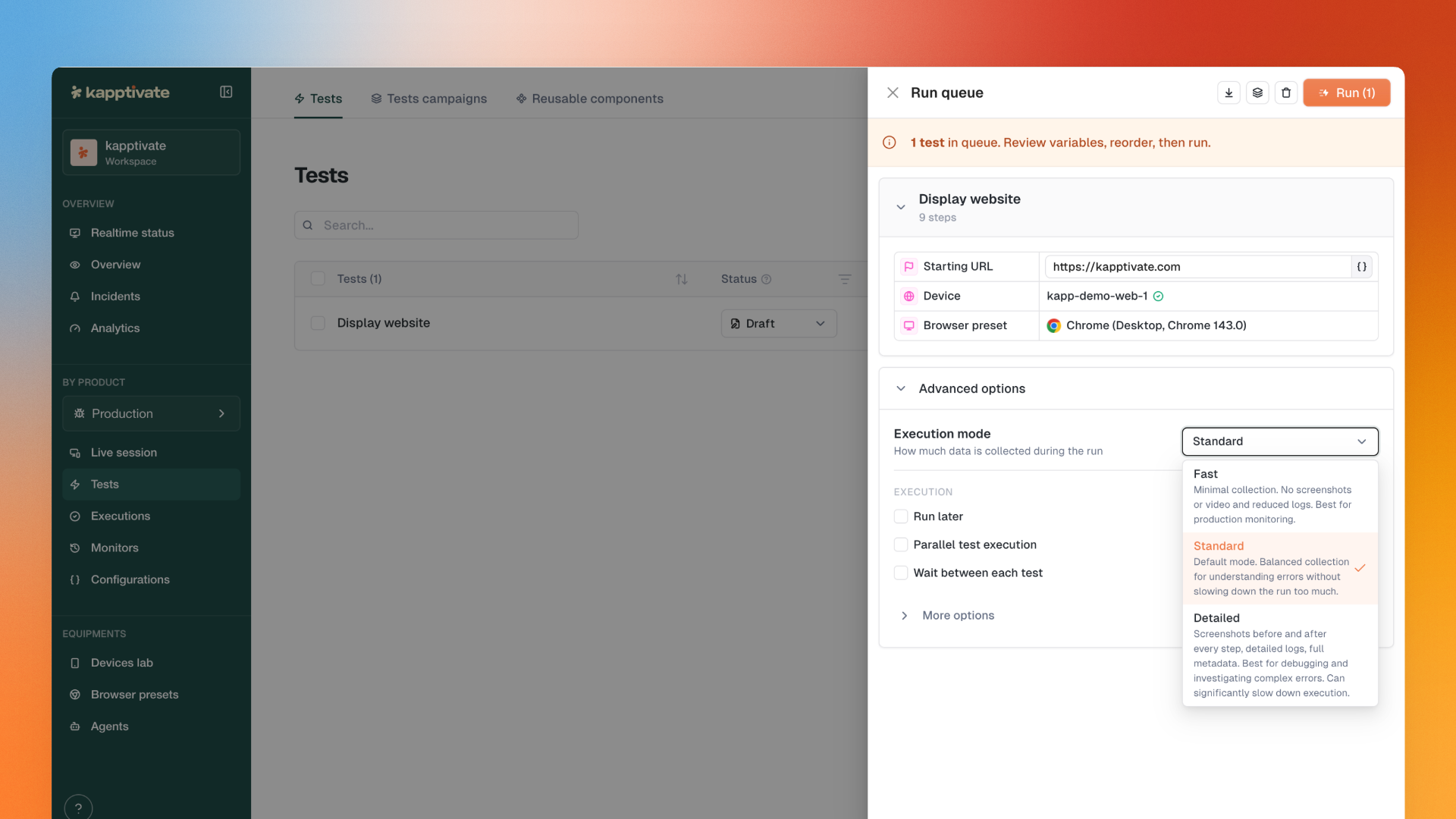
Choose how much data to collect on each run.

Three modes available:

  • Fast: Disables screenshots and logs. Maximum speed. Ideal for production monitoring where you just need pass/fail.

  • Detailed: Keeps all context for debugging. Screenshots, logs, everything.

  • Standard: Middle ground. Default option.

Same test, three different durations. Pick the right trade-off between speed and observability.

Set the mode at:

  • Run confirmation drawer

  • Monitor scheduling

  • V2 test settings

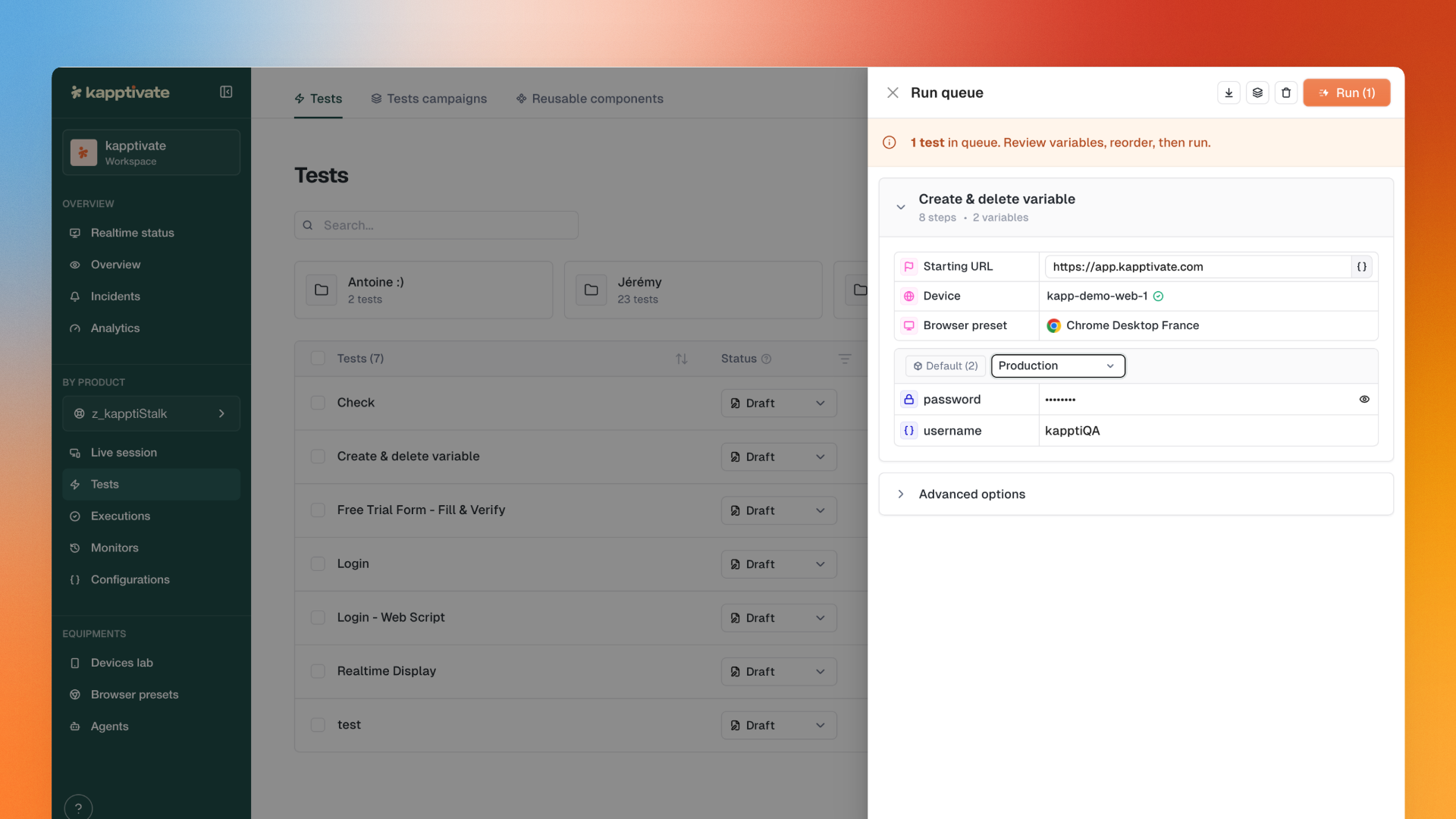
🎯 New: Run Confirmation Drawer

The run confirmation page as you knew it is gone.

Everything now happens in a drawer that opens from wherever you are: tests page, executions, execution details... No more redirects, no lost context.

All existing actions preserved:

  • CSV import

  • Create test campaign from queue

  • Drag & drop to reorder

  • Variable overrides

  • Device selection

  • And more

The drawer shows resolved device names with availability status, an instructional banner with queue count, and all the run options you're used to (notifications, ignore errors, replay failed only, parallel execution...).

πŸ“± Improved: Smartphone Experience

  • Tip banner during recording: When a Fill input step is detected, a banner reminds you that you can type directly on your keyboard

  • Pause and assertion options restored in the smartphone recorder

✨ Other Improvements

  • Monitors list pagination: The monitors list now has pagination.

  • Collection action: Send all tests from a collection to the run queue in one click

  • Remove/duplicate from drawer: Manage tests directly from the Run Confirmation drawer

  • Execution parameters visible: Device, starting URL, browser preset displayed for V2 tests in the drawer

  • Variables in drawer: Global variables and variable groups shown for V2 tests

  • Device pre-fill: Monitor device pre-filled from the test's default owner

  • XML tree dump: Now exposed in execution artifacts for download

  • Realtime Status filters: Banner shows only unsaved changes

  • Status Details page: New header with time range picker and CSV export

  • Confirmation notifications: Adding items to the queue shows a notification with item name or count

πŸ› Fixes

  • Improved loading time for executions list

  • Fixed artifact copy button for log, text and script artifacts

  • Fixed broken screenshots in scheduled mail reports

  • Split cells in status details grid now show each status color separately

  • Duplicating a step now preserves its checks

  • Fixed step group split adding steps to wrong group

  • Fixed empty "Results details" modal on Realtime Status

  • Choice-type variables now display saved value in monitor edit form

  • Display changes in realtime status views now save automatically

  • Fixed "Test Suites" sidebar link pointing to 404

  • Fixed crash when creating a monitor from a test

  • Fixed monitoring variables panel not restoring choice values

  • Replay from execution now uses the device from the previous run

  • "Create test suite from queue" now carries over variable and owner edits

  • Fixed agent form not loading automatic-update time correctly

May 26th, 2026

A packed release this week with three major features: step-level Checks to validate conditions on any action, the new Warning status that goes beyond simple Success/Failed, and the Realtime Status that finally breaks free from the 48h limit.

βœ… New: Checks on Steps

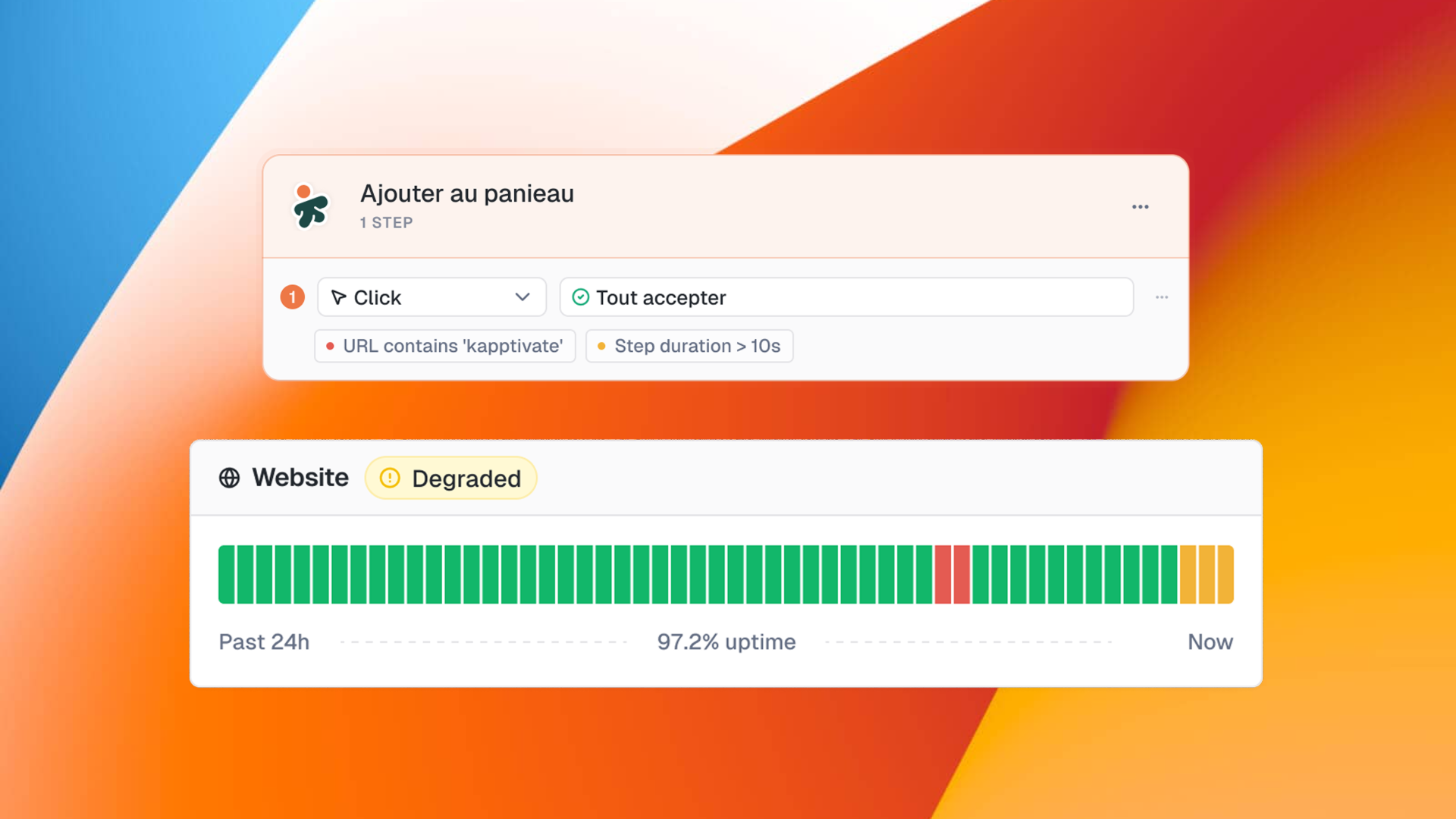
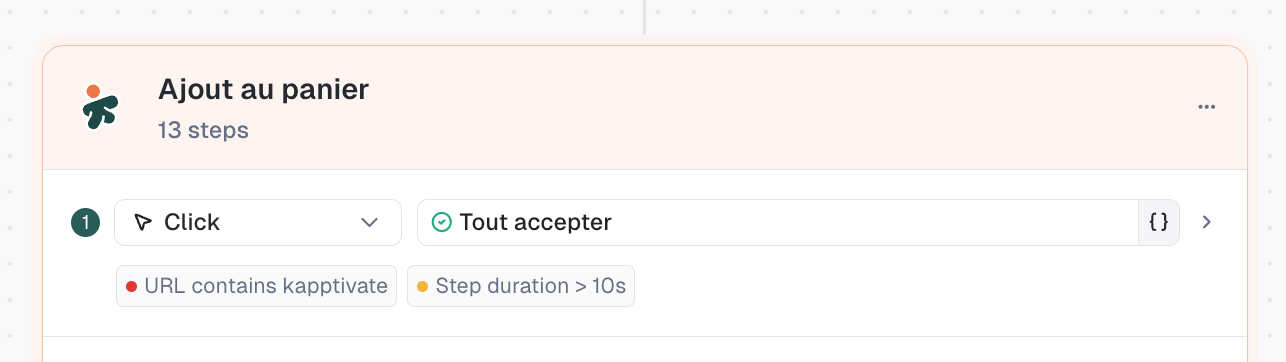
Add success conditions to any step in your test.

Click on a step, go to the Checks tab, and define your conditions. If the condition isn't met, the step fails (or warns, more on that below).

Available checks to begin with:

  • URL: verify the current URL contains, equals, or matches a pattern

  • Step duration: check if the step completed within a time threshold

Combine multiple checks with AND/OR logic. More check types coming soon.

⚠️ New: Warning Status

Your tests are no longer limited to Success or Failed.

For each check, choose what happens if the condition isn't met: Failed (red) or Warning (yellow). This gives you granularity between "something is broken" and "something is slow but still working."

This status propagates to monitors as Degraded status, visible in yellow on the Realtime Status.

Important: No checks are added automatically on existing tests. To see the Warning status in action, add checks to existing tests or create new ones.

πŸ“Š New: Realtime Status Without Time Limit

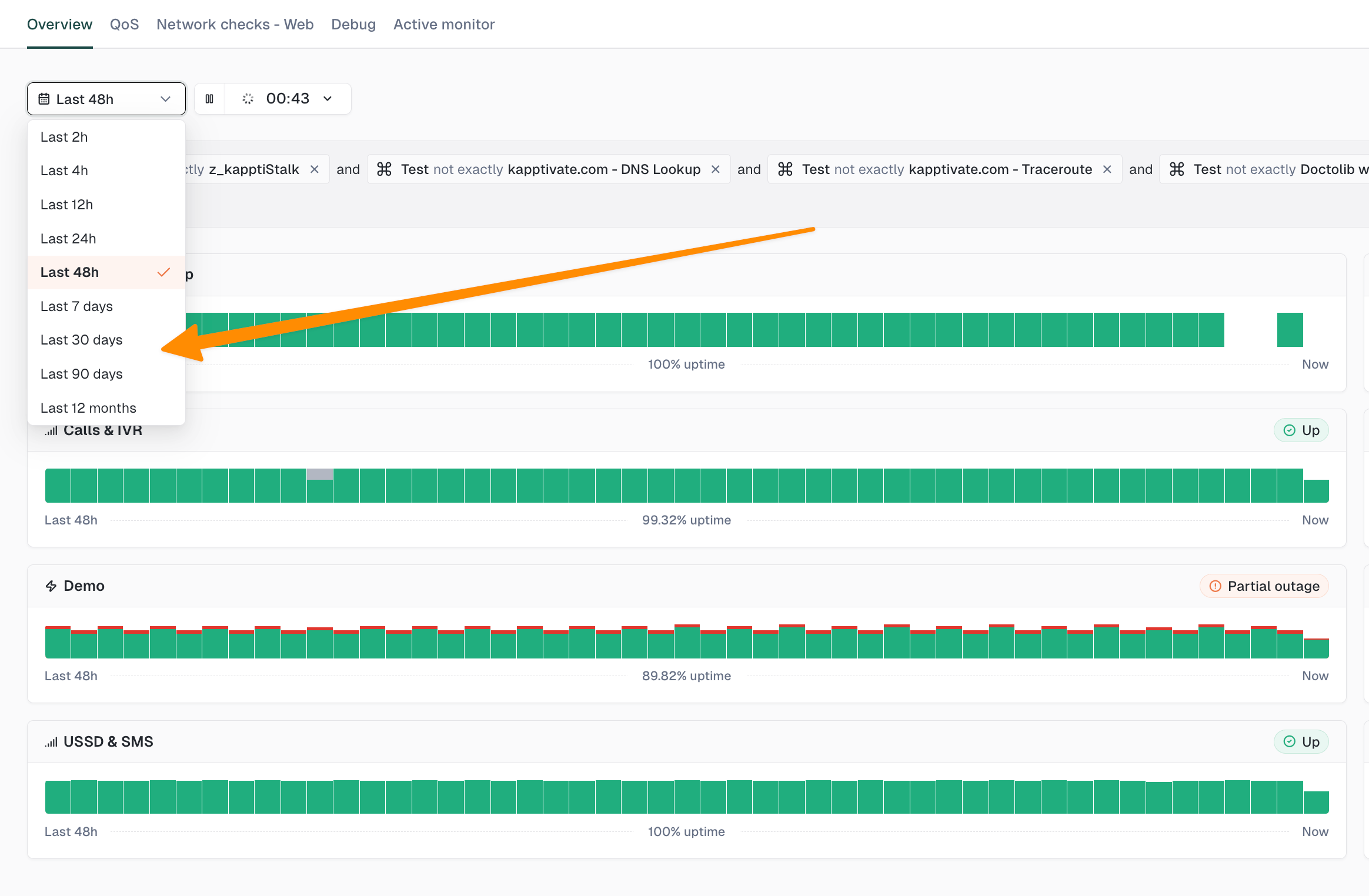
No more 48h limit.

Realtime Status now lets you go back in time with ranges up to 12 months (7d, 30d, 90d, 12 months). You can also drag a period on the chart to zoom into it.

↩️ New: Undo / Redo in Test Editor

Ctrl+Z to undo, Ctrl+Y (or Ctrl+Shift+Z) to redo.

Works on everything: structure, renames, values, hooks, adding/deleting/moving steps and step groups. Text edits are grouped into 1-second sessions to undo a full burst of typing at once.

πŸ”‘ New: Personal Access Token

New section in the Profile page to generate a personal access token.

Use it to configure the Kapptivate CLI and MCP server. One click to copy, ready to use.

πŸ€– New: AI Visual Assertion & Spell Check on Smartphone

Two new action types available in smartphone tests:

  • AI visual assertion: AI-powered visual validation

  • Spell check: spelling verification

✨ Improvements

  • Test campaigns: direct move from row action menu (no more multi-select needed), collection duplication, duplicate from multi-select bar

  • Smartphone test creation modal: visual redesign + Refresh button to reload the app list

  • App reset disabled by default on new Android tests (aligned with iOS)

  • Variable tags: new visual style, hover reveals variable group, references in checks visible in Environment tab

  • Check tags: reduced padding, mini-tag style instead of raw text

  • Warning labels: displayed next to warning tests in multi-test results

  • Persistent Checks tab: clicking another step keeps the Checks tab open

  • Hidden operators: "not exactly" and "does not contain" removed from checks following user feedback

πŸ› Fixes

  • Step-level timeouts not taking effect at runtime (re-save to migrate existing values)

  • Live preview now follows the selected test in multi-test suite

  • Silent reconnection when JWT expires (no more forced redirect to /login)

  • New users correctly attached to default security policy

  • Dashboard export now respects variable selection

  • Delays and timeouts not working on smartphone tests (new experience)

  • Crash and visual issues on Realtime Status

  • Variant and choice value properly persisted when saving a test

  • CHOICE variables in monitors resolved to single value before sending to runner

  • Adding a variant now auto-creates cells for all existing variables

  • Video tab always visible with clear empty state

  • Breadcrumb shows "Test campaigns" instead of "TestCampaigns"

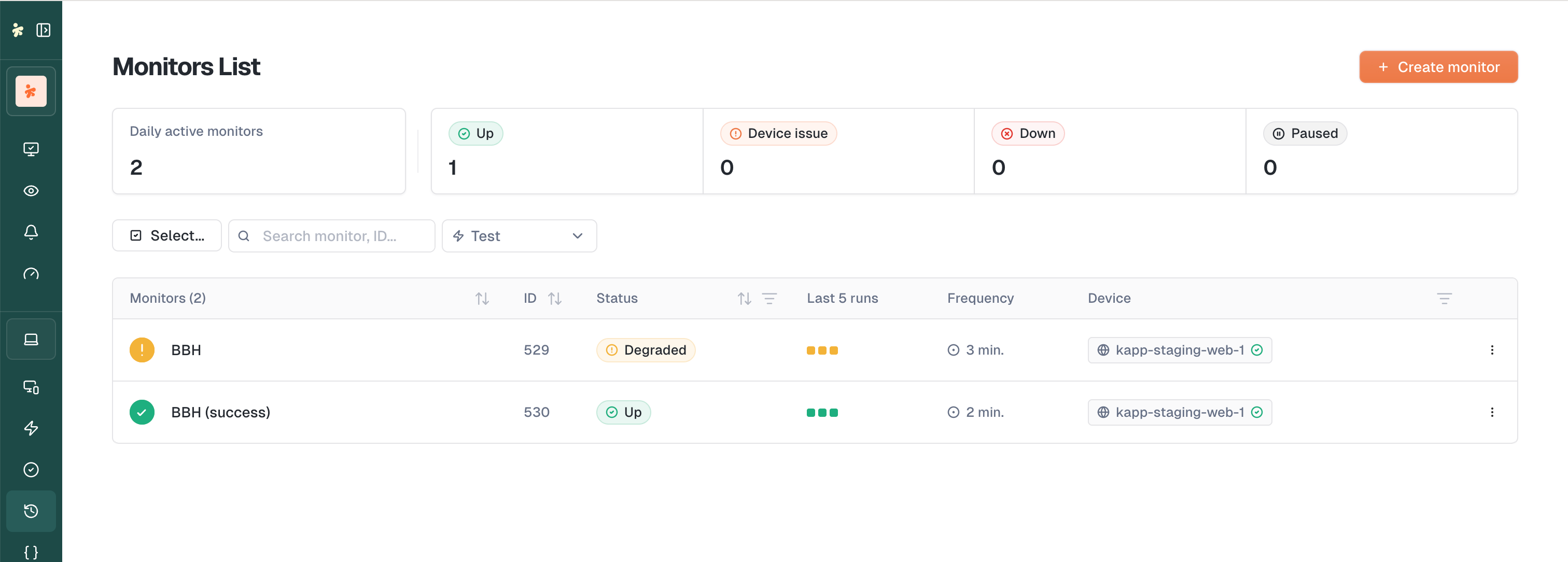
  • Degraded status icon fixed in monitors list

  • "Leave without saving" alert no longer fires after successful save

  • And plenty more polish (typo, alignments, visual states…)

May 20th, 2026

This release rebuilds test campaigns from the ground up and sharpens the whole smartphone testing flow. Plus a wave of polish improvements and fixes across the product.

🎯 Improved: Test Campaigns 2.0

Your campaigns just got a lot more flexible.

Test campaigns now let you customize behavior per campaign and organize them like a library:

  • Per-campaign overrides: starting URL, browser preset and test labels, all configurable independently

  • Variables v3 support: pick which variant of a variable group is used per variable

  • Collections: group related campaigns to keep large catalogs tidy

Same tests, different runs, no duplication.

🏷️ New: Hook Tag in Test Forms

A new Hook Tag component shows which hooks are wired up to the test, in both web and smartphone forms. No more digging through menus to check what's running before and after.

πŸ“¦ New: Bulk Monitor Creation for Smartphone Tests

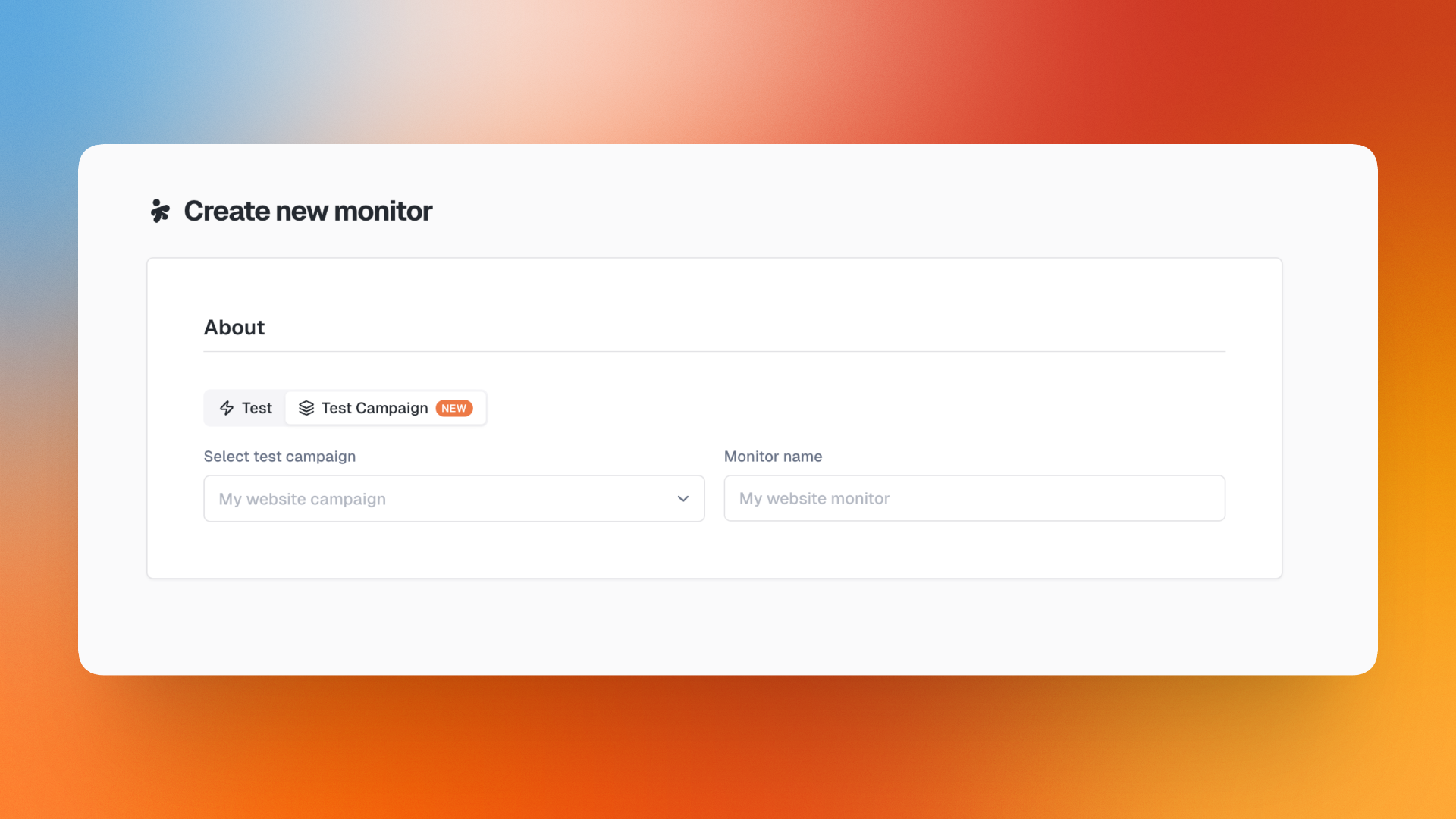
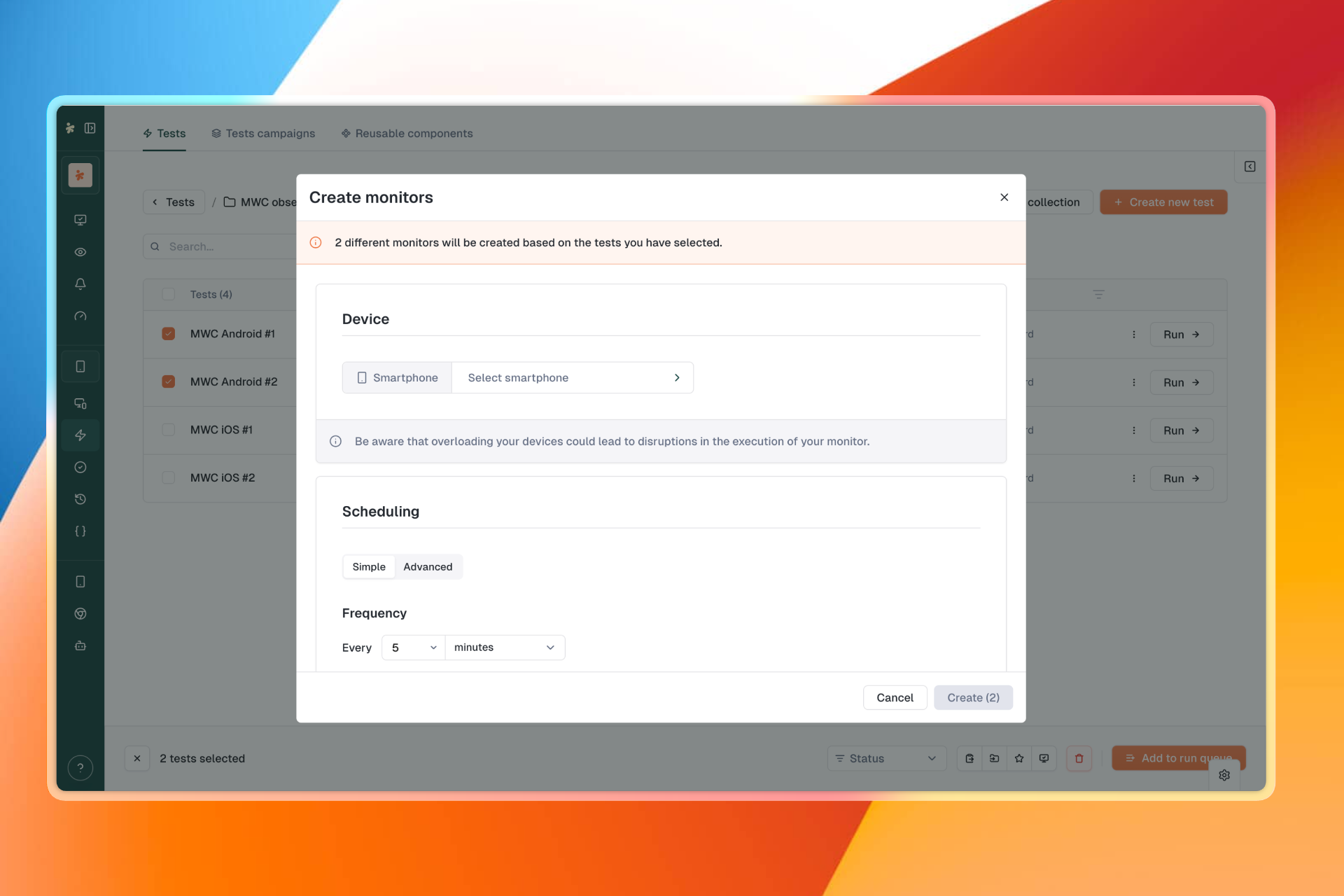
Smartphone tests join the party. You can now bulk-create monitors from a list of smartphone tests, just like the web flow. Spin up monitoring for an entire APP V2 or Web V2 test list in one go.

πŸ”€ New: Reorder Step Groups by Drag & Drop

Drag and drop step groups directly in the test canvas to reorganize them. Combined with the new draggable cursors, restructuring a test is now a one-gesture operation.
πŸ“± Improved: Smartphone Recorder Polish

The recorder gets a wave of refinements that make capturing smartphone tests faster and less fiddly:

  • Pause mode: pause the recorder without losing your session

  • One-tap Fill input: tap an input field and a Fill input step is created automatically

  • XML tree viewer: a new button on execution results opens the XML tree of the screen

  • Refresh app button: dedicated button to refresh the list of installed apps

  • Cleaner test creation modal: the smartphone test creation modal has been reworked for clarity

✨ Improvements

  • Variables in execution details: input and output variables now appear directly on the execution details page

  • Variables in Start URL: the Start URL field of the test creation modal now supports variables

  • Persistent sort: your sort column and direction stick across navigation on tests, monitors, dashboards, test suites, smartphones and SIMs lists

  • Realtime Status time ranges: added 7 days, 30 days, 90 days and 12 months on top of the existing hourly ranges

  • Better drag cursors: all draggable elements now have proper cursors so it's obvious what you can move
πŸ› Fixes

  • Mail report subscriptions no longer overwrite the creator, and the recipient list is now reliably persisted

  • Fixed live preview not following the selected test in multi-test suites

  • Fixed checkbox step overflow when the description is too long

  • Fixed "Select a device" error when saving a reusable component without a device
  • Fixed selected products being reset when adding a product to a device or agent

  • Fixed execution page showing all execution devices instead of only the devices used by the selected test

  • Fixed browser preset not displayed on the monitor devices card for smartphone tests

  • Fixed step-level timeout defaulting to 60s instead of the test-level Selector timeout

  • Blocked copy to another product for tests containing reusable components
  • Fixed the "last update" column of the dashboards list to display the actual update date
  • Drag handle icon color is now consistent with the design system

  • Recipient tags in the mail report panel now show the email even when the recipient is not in the operator's user list

  • Fixed execution status stuck on "queued" in the test form after a run

  • Fixed crash when creating a global variable of type "Choice"

  • Restoring a test version now warns about variables that no longer exist

  • Fixed opening monitoring details from the realtime status card

  • Fixed unexpected logout caused by missing refresh token fallback and stale auth cookies

  • Fixed the "Create Monitor" button on the Realtime Status empty state

  • Fixed crash on the execution details page of a monitoring with multiple owners

  • Fixed smartphone V2 test results showing only the first step

  • Fixed empty owner regularly displayed on the test creation form

  • Fixed crash on the execution result page when there is no triggering user

  • The artifacts button now shows on execution steps when only systemd logs are present, keeping "Systemd output" and "Systemd error" tabs reachable

  • Fixed version history preview not loading anything for smartphone tests

  • Fixed app_reset checkbox incorrectly checked for old tests missing the key

  • Fixed webhook saving failure in notifications settings

April 26th, 2026

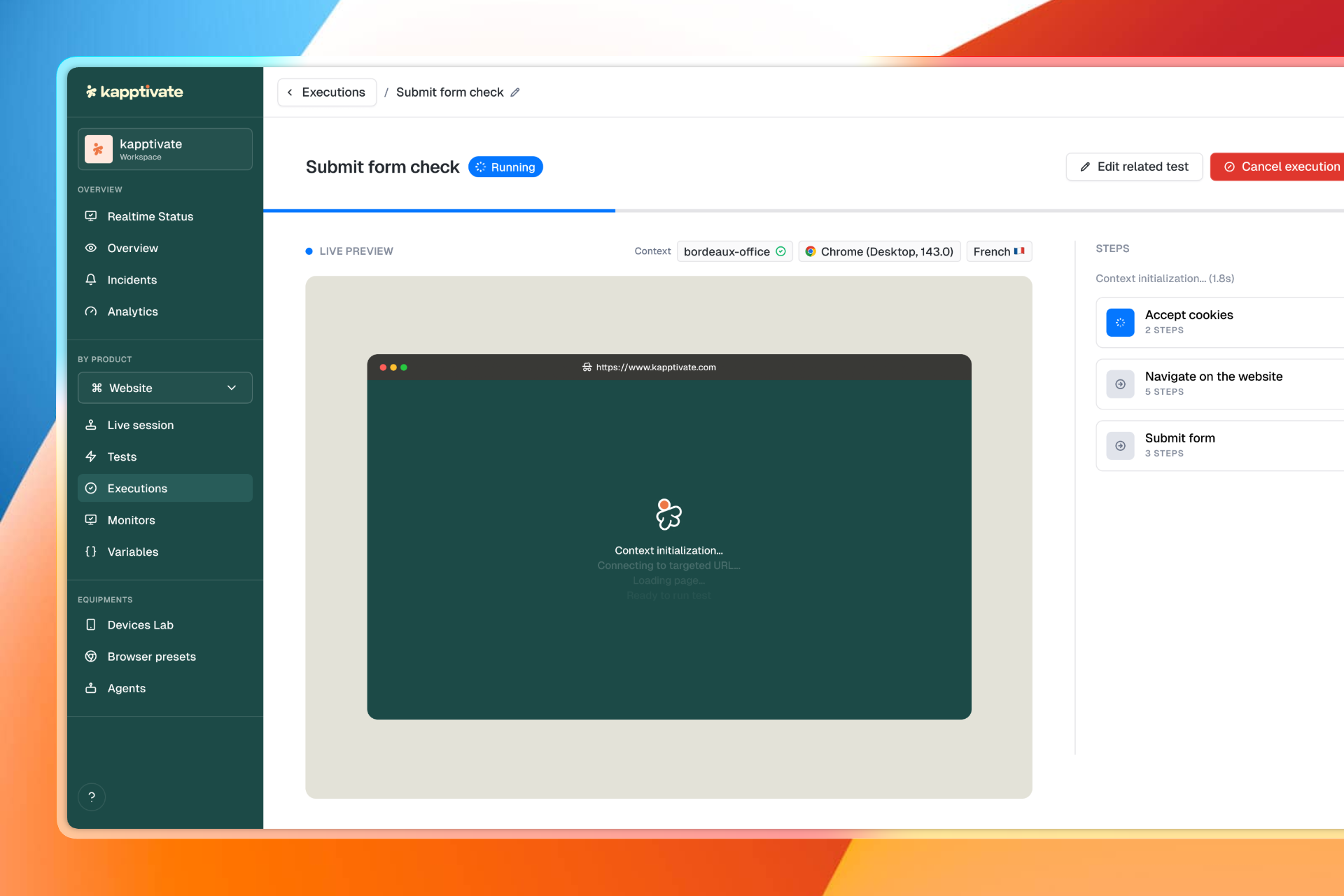
This release introduces a completely new test execution experience. View the browser or smartphone screen live, without leaving the execution page.

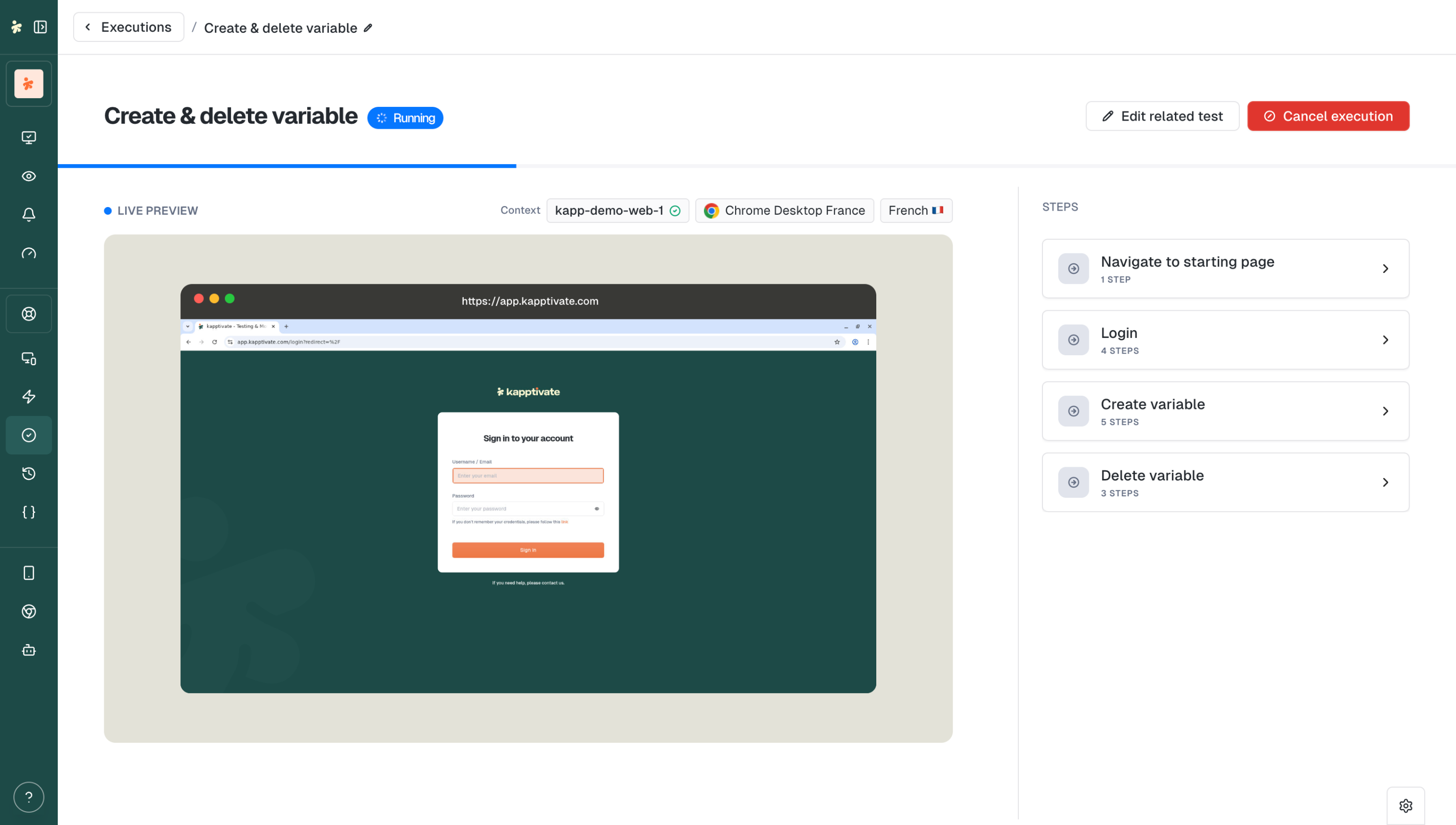
▢️ New: Running Mode

A new way to follow your web and smartphone tests.

Live Preview: The browser or smartphone screen displays directly in the execution view. No need to go back to the test editor.

New UI: Step groups displayed in real time with a redesigned collapse. Progressive step-by-step display coming in a future release.

Improved Navigate to URL: This step group now shows details directly in the collapse. Perfect for validating loading times.

Smooth Transitions: Cleaner transition from "running" to "success/failed" status.

Edit Related Test: Access the test editor directly from running mode.

✨ Improvements

  • Insert Step button: Add a step between two existing steps directly in the canvas

  • Cancel Execution on Test Suites: Cancel a running test suite

  • Skipped step groups hidden: Execution results no longer show noise from skipped groups

  • Assertion mode auto-disabled: After a click in the smartphone recorder, assertion mode turns off automatically

  • More accurate execution times: Failed tests are excluded from weekly averages

  • Aligned timers: Step group timers aligned with step timers inside the collapse

  • Scroll to top: Automatic scroll to top on pagination change

  • Password managers blocked: No more autofill on shared dashboard password fields

πŸ› Fixes

  • Fixed Realtime Status count display (time filter aligned with GROUP BY intervals)

  • Fixed day selection alignment in date picker

  • Agents list now sorted in natural/human order

  • Fixed smartphone test crash when Environment tab is focused

  • Fixed Replay button not working on results page

  • Fixed execution creator not displaying on execution details page

  • Fixed shifting and unaligned step group collapse layout

  • Fixed monitoring list counter to match filtered list

  • Fixed background execution list not filling available space

  • Display global variables dropdown on shared dashboards

  • Prevent users from granting permissions they don't have when creating custom roles

  • Fixed inconsistent device information on execution details page

  • Fixed device selection not applied when creating monitor from execution parameters modal

  • Fixed actions column width in browser presets and tests tables

  • Fixed status colors on public dashboards

  • Fixed inability to scroll multi-test result details during execution

  • Fixed incorrect French translation for maintenance exit button

  • Fixed CSS priority issue via lazy loading of monitoring and supervision routes

  • Test editor and monitoring pages now reflect renamed variables immediately

April 21st, 2026

This release fundamentally changes how you manage data across your tests. Define variables once at the workspace level, create variants for different scenarios, and compose your test executions with the right data in just a few clicks.

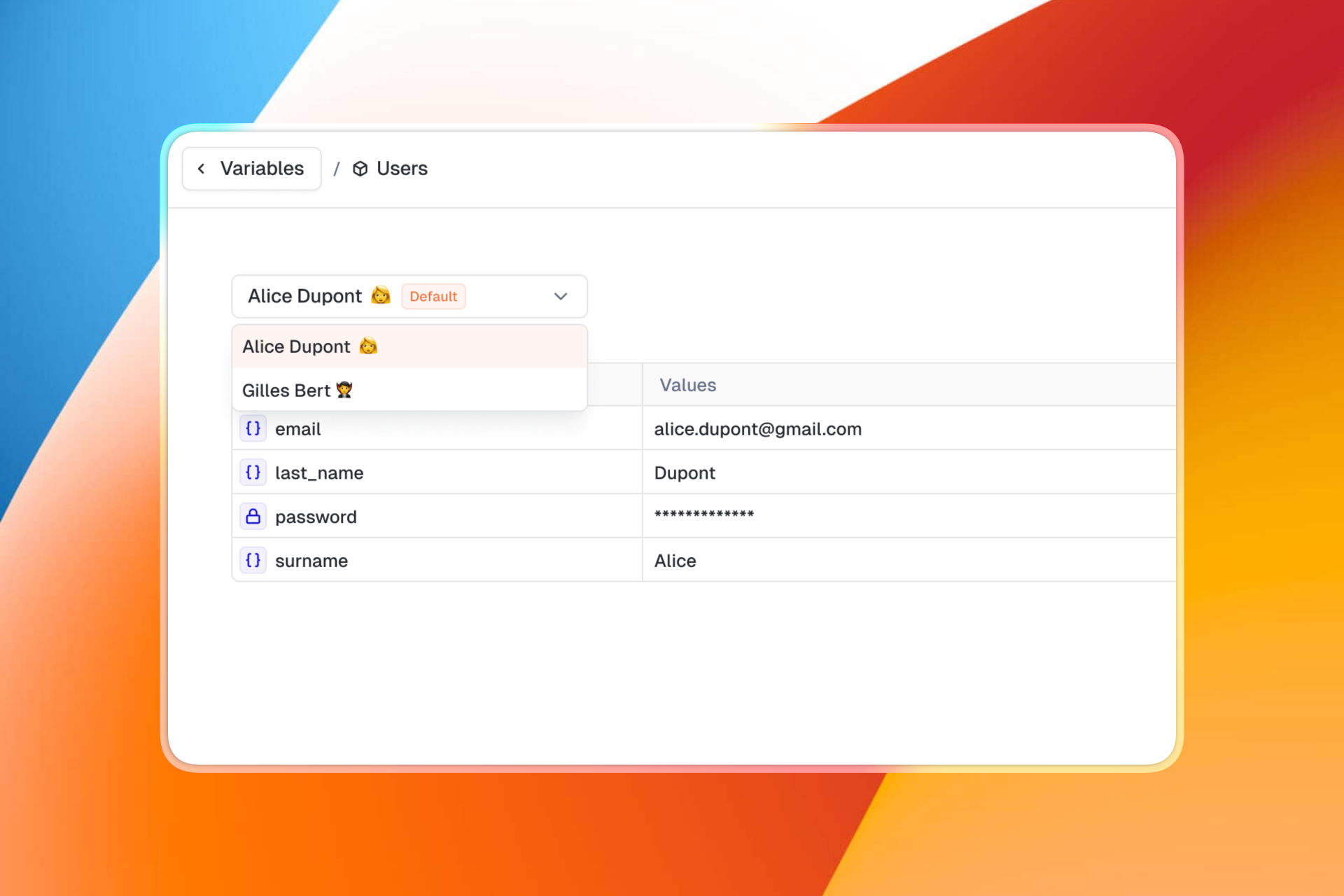
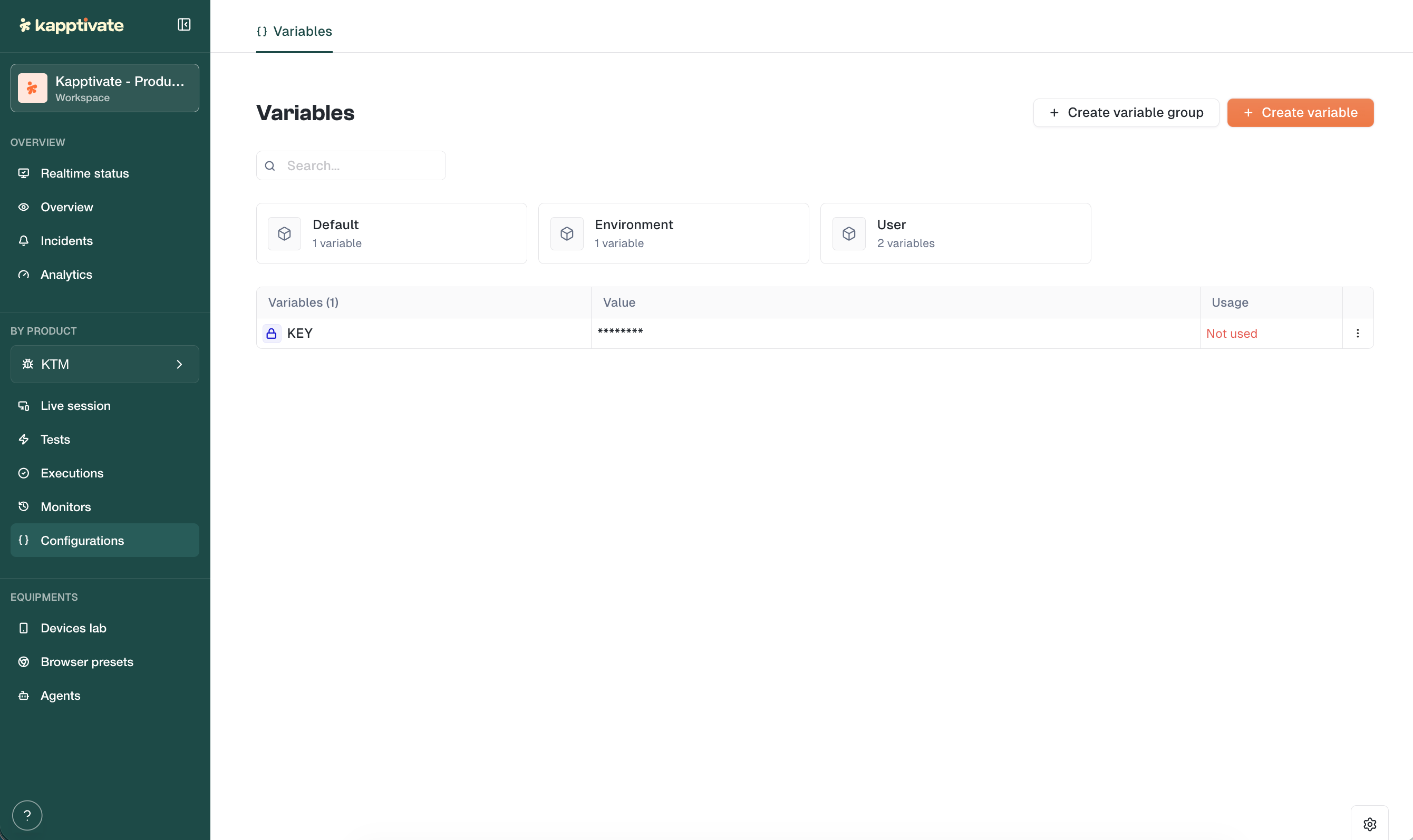
πŸ“¦ New: Variables V3

The new version of variables is now live across all environments.

General Variables: Define a variable once, use it everywhere. A single value shared across all your tests, perfect for environment URLs, API endpoints, or any constant.

Variable Groups with Variants: Variable groups now support multiple sets of values. Think user profiles: create a "Profiles" group with variants like "Admin", "Standard User", "Guest". Each variant holds its own values (login, password, permissions...).

Easy Composition: When executing a test or configuring a monitor, select which variants to use. Mix and match to create the exact scenario you need. No duplication, no manual overrides.

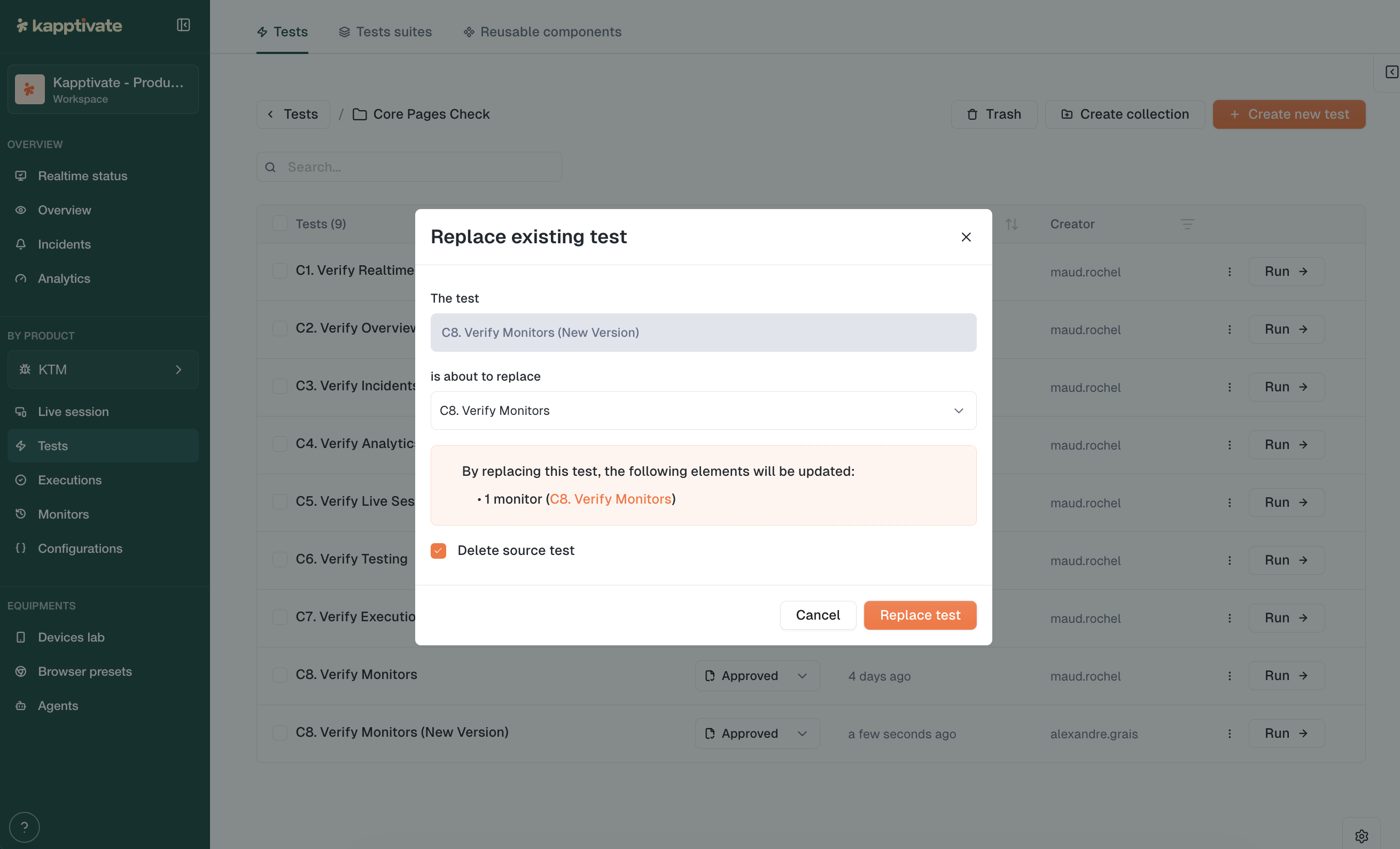
πŸ”„ New: Replace Test

Swap an existing test with a new one while keeping all connected monitors, historical data, and reporting continuity intact. No more recreating monitors when a test needs a major overhaul.

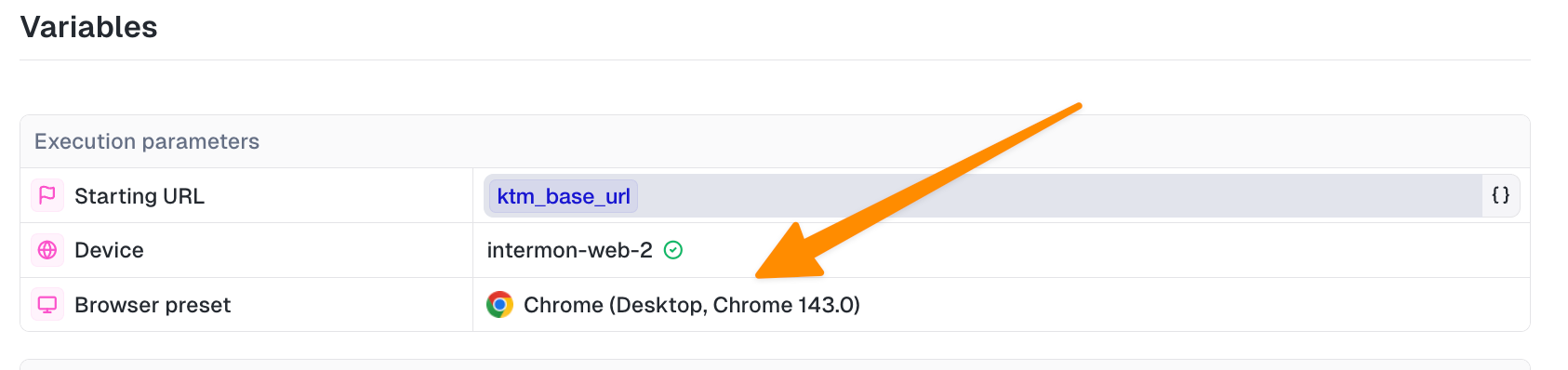
🌐 New: Browser Preset at Monitor Creation

Select a Browser Preset directly when creating a monitor. Your test runs under the exact same conditions as manual execution. A default preset is now automatically applied for web tests.

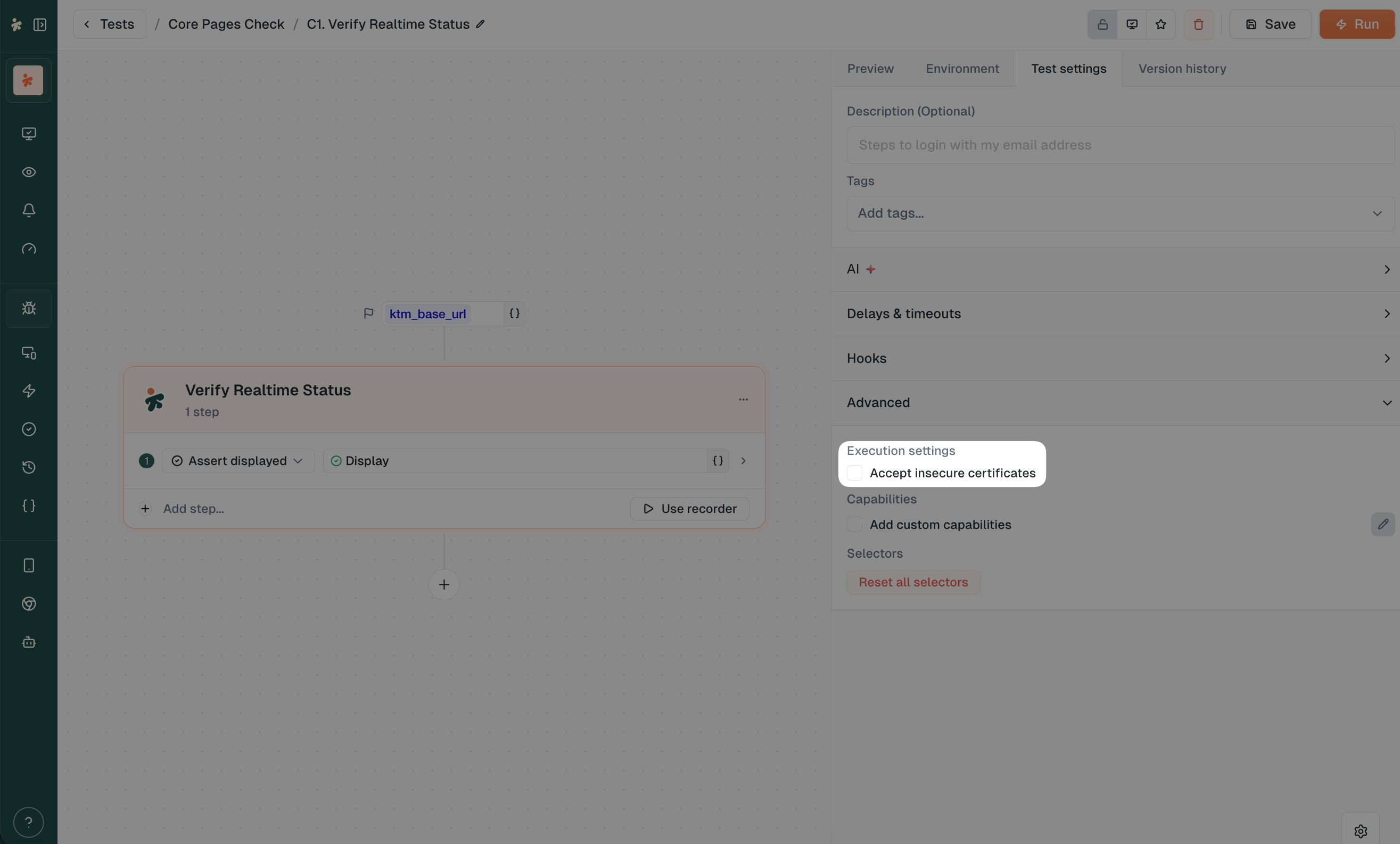
πŸ” New: Accept Insecure Certificates

Testing on staging with self-signed certificates? The new web testing experience now includes an "Accept insecure certificates" option.

✨ Improvements

  • Agent settings: New "About" panel to edit agent names

  • Dismissable banners: Communication banners now have a persistent close button

  • Keyboard navigation: Escape key closes selection banners on all list pages

  • Validation guardrails: Can't save a monitor or test without required device and browser preset

  • Unresolved variables visible: Test variables that aren't resolved now show clearly in the monitoring form

πŸ› Fixes

  • Fixed live browser disconnecting after ~90 seconds

  • Fixed public shared dashboards failing to load charts

  • Fixed crash when switching products on the variables page

  • Fixed monitor save losing variable actions

  • Fixed incidents page crash

  • Fixed selection banner not showing in Reusables

  • Fixed banner displacing the action bar in list pages

  • Fixed capacity tab layout in web agent details

  • Fixed breadcrumb collection names

  • Blocked access to archived workspaces for non-super-admin users

  • Added all status options to monitor filtering

March 10th, 2026

This release brings powerful new ways to reduce noise and share insights, plus a major reorganization of how you access agents and devices. Less clutter, more control.


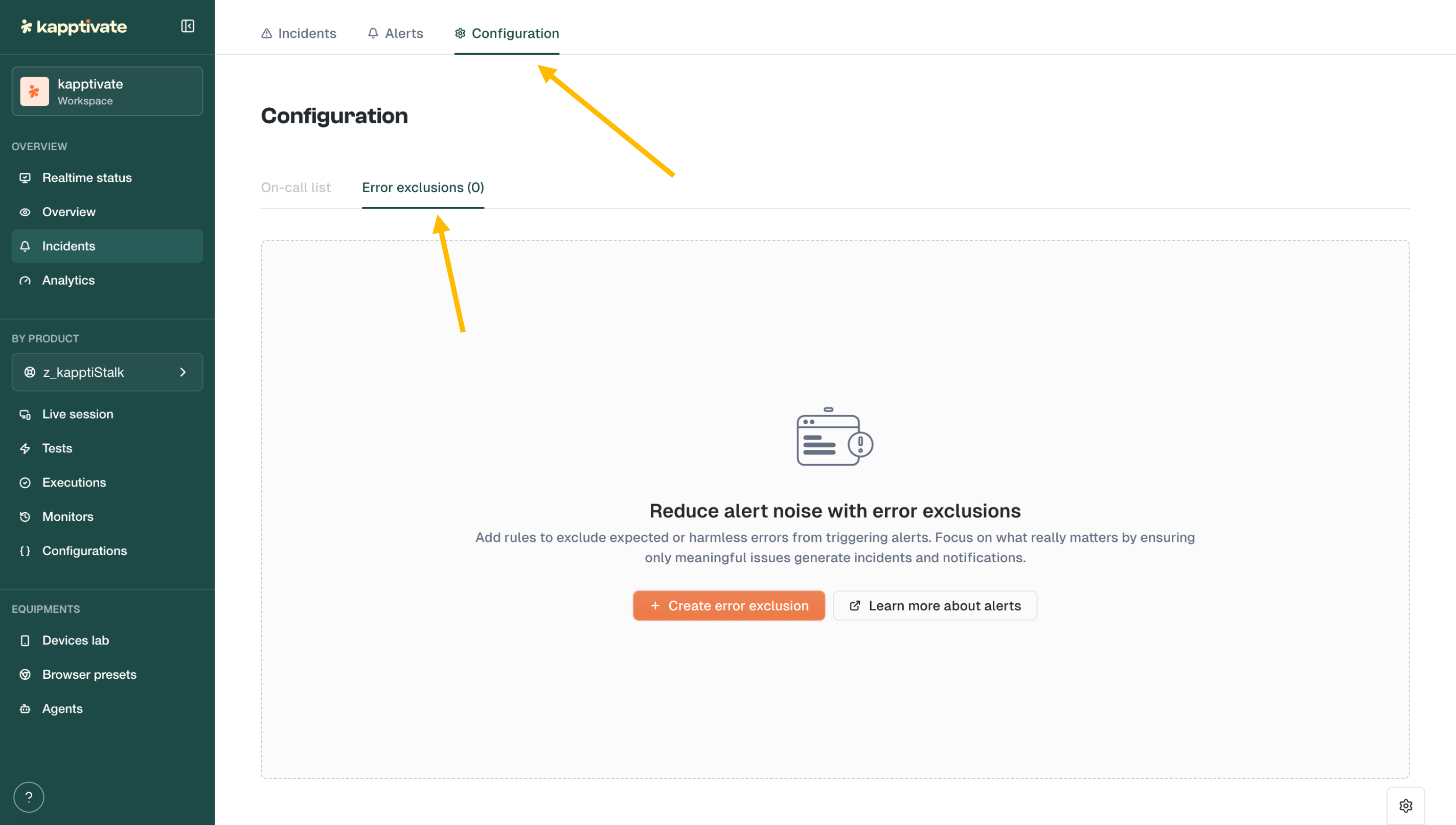
πŸ”• New: Error Exclusions for Alerts

Not every error deserves to wake someone up at 3am.

The new Error Exclusions feature lets you define patterns to filter out expected or harmless errors from triggering alerts. Find it under Incidents β†’ Configuration β†’ Error exclusions.

Create rules based on error patterns (e.g., "robot unreachable" during planned maintenance) and focus your alerts on what actually matters.


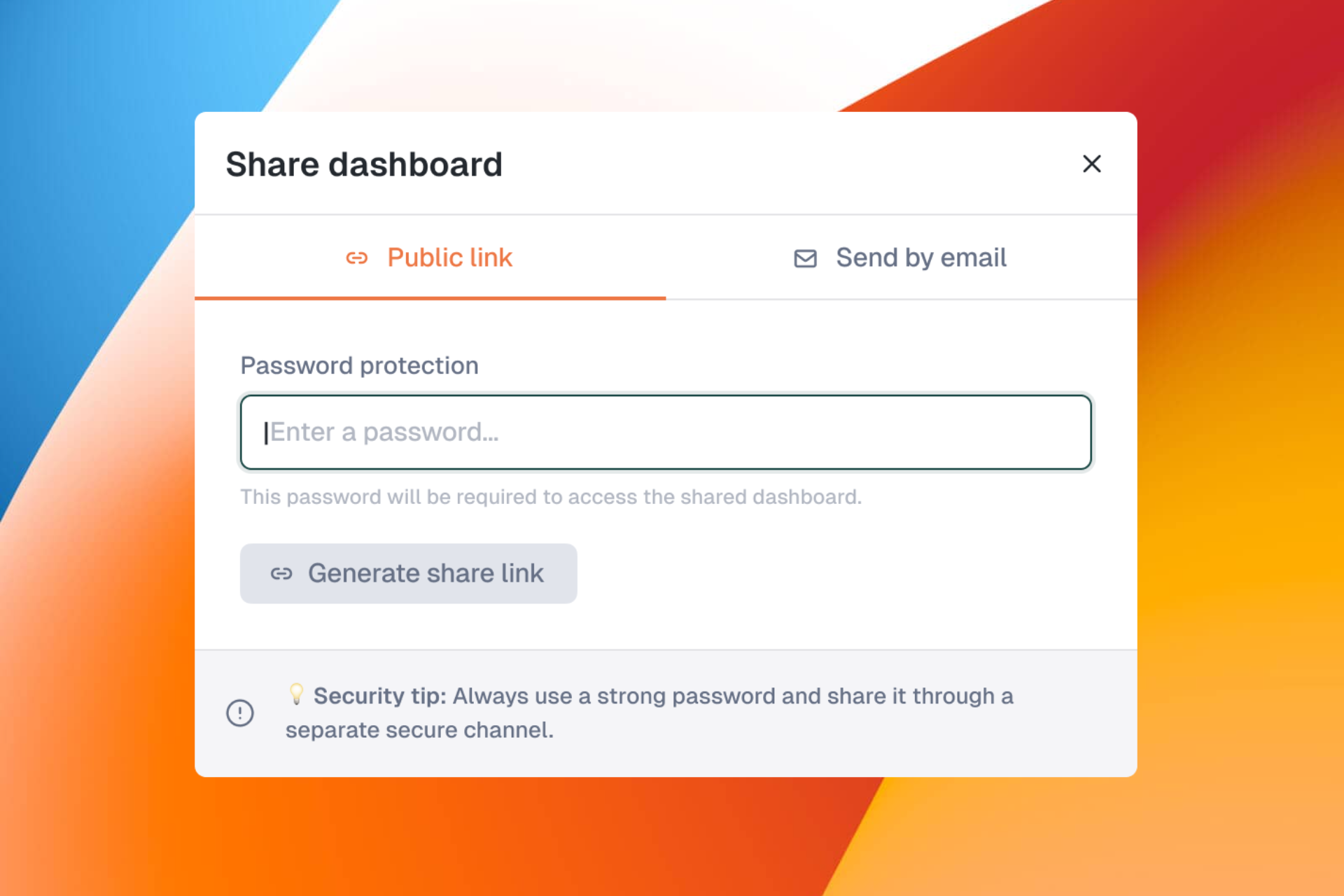
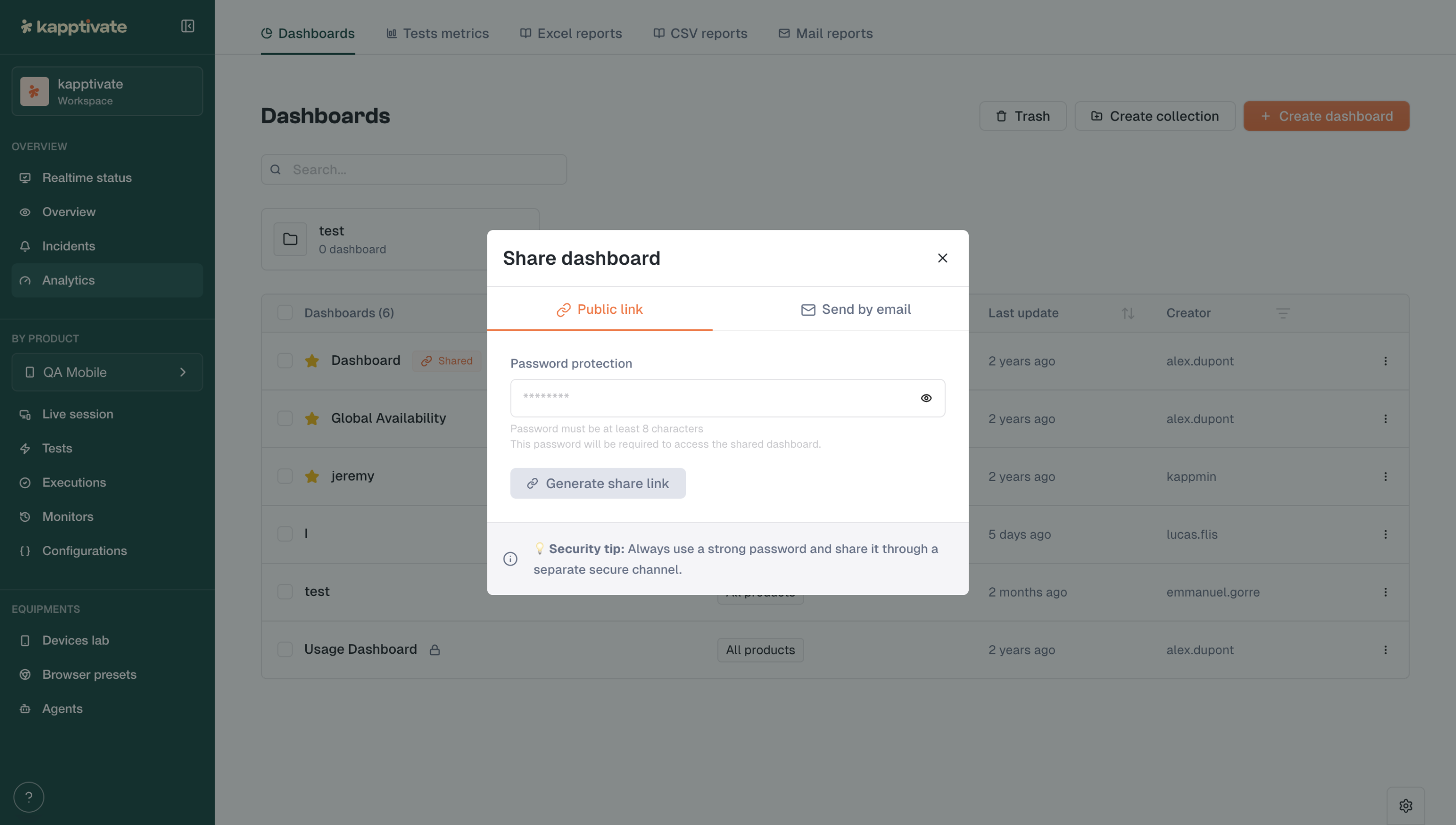
πŸ”— New: Public Dashboard Sharing

Need to share a dashboard with someone outside your workspace? Now you can.

Generate a password-protected public link for any dashboard. Recipients can view the dashboard without needing a Kapptivate account.

  • Password protection required (minimum 8 characters)

  • Share via link or email

  • Revoke access anytime

Perfect for sharing status pages with clients or stakeholders.


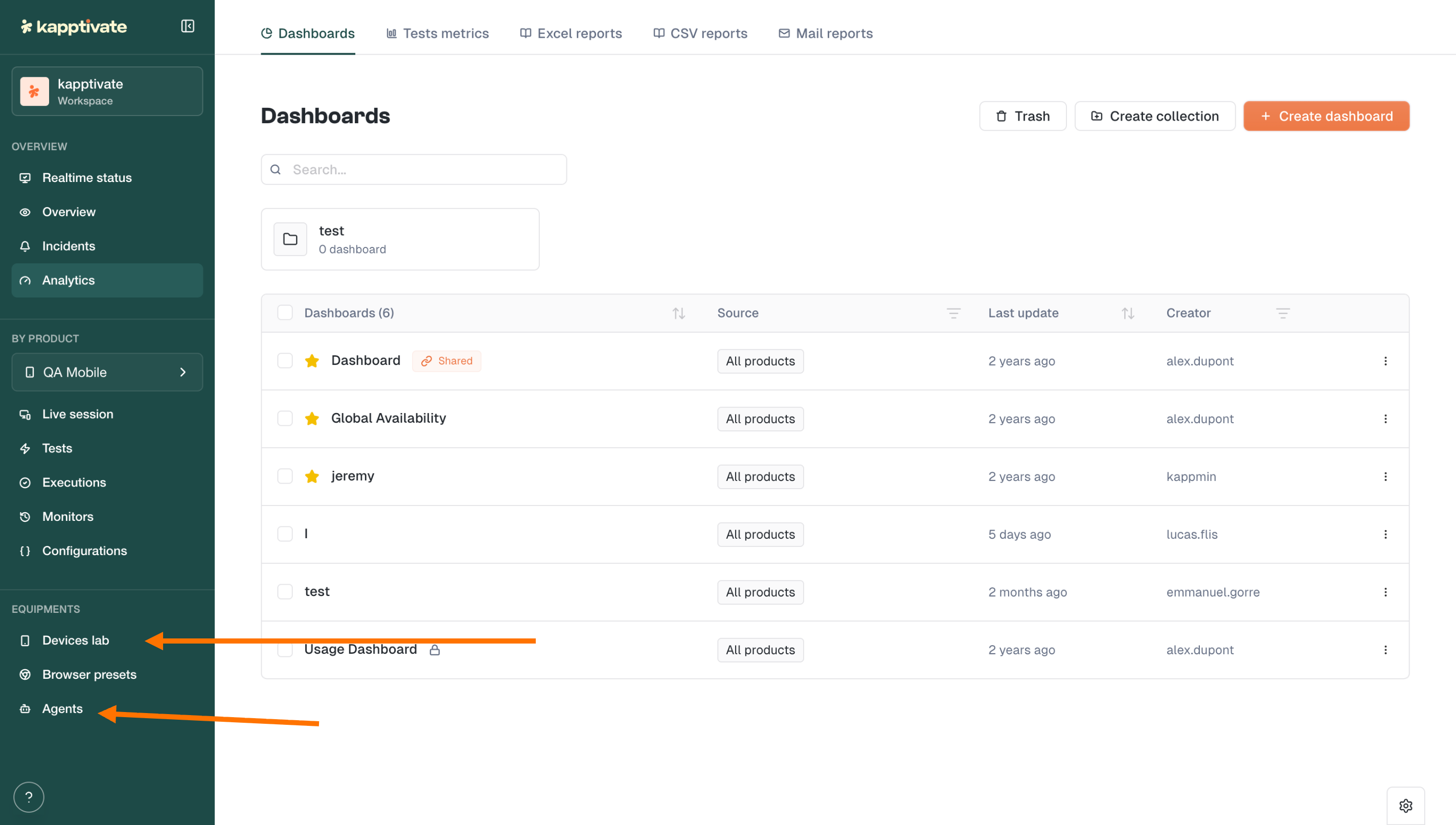
🏠 Redesigned: Agents & Devices in Main Navigation

We've moved Devices lab, Browser presets, and Agents out of the admin panel and into the main sidebar under Equipments.

What this means:

  • All users can now see and browse agents, smartphones, and devices

  • Actions are permission-based: only users with the right roles can perform maintenance, reboot, or configuration changes

  • Cleaner separation between viewing and managing

No more hunting through admin menus to check device status.


βš™οΈ Redesigned: Settings & Account Management

We've reorganized the Settings panel for clarity:

  • My Account: Profile & Preferences in one place

  • Workspace: Products, Users, Teams, Roles

  • Administration: Notifications, API Keys, Security policies, Event log

A simpler structure that's ready for future enhancements.


✨ Improvements

  • Smoother test creation: Improvements to both smartphone and web test creation flows

  • Custom capabilities restored: Custom browser capabilities are accessible to all users again (sorry for the temporary restriction!)


Another step toward a cleaner, more intuitive Kapptivate.

Let us know what you think! πŸ’¬

February 25th, 2026

This release focuses on the little things that make your daily testing workflow more intuitive. Better navigation, more control over timing, and clearer execution details.


⏱️ New: Step Delay & Selector Timeout Controls

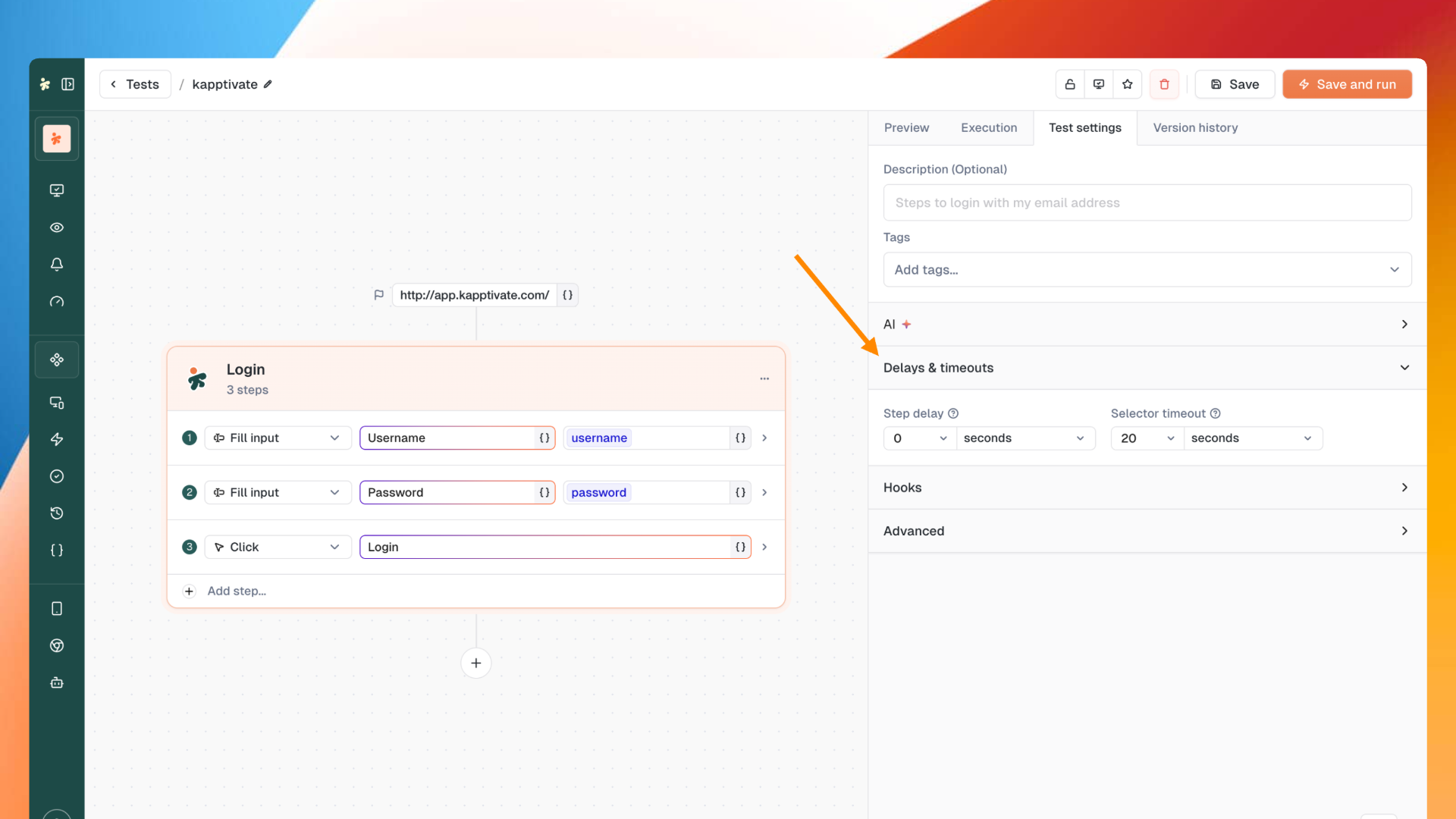
Fine-tune your test timing with new controls for web tests.

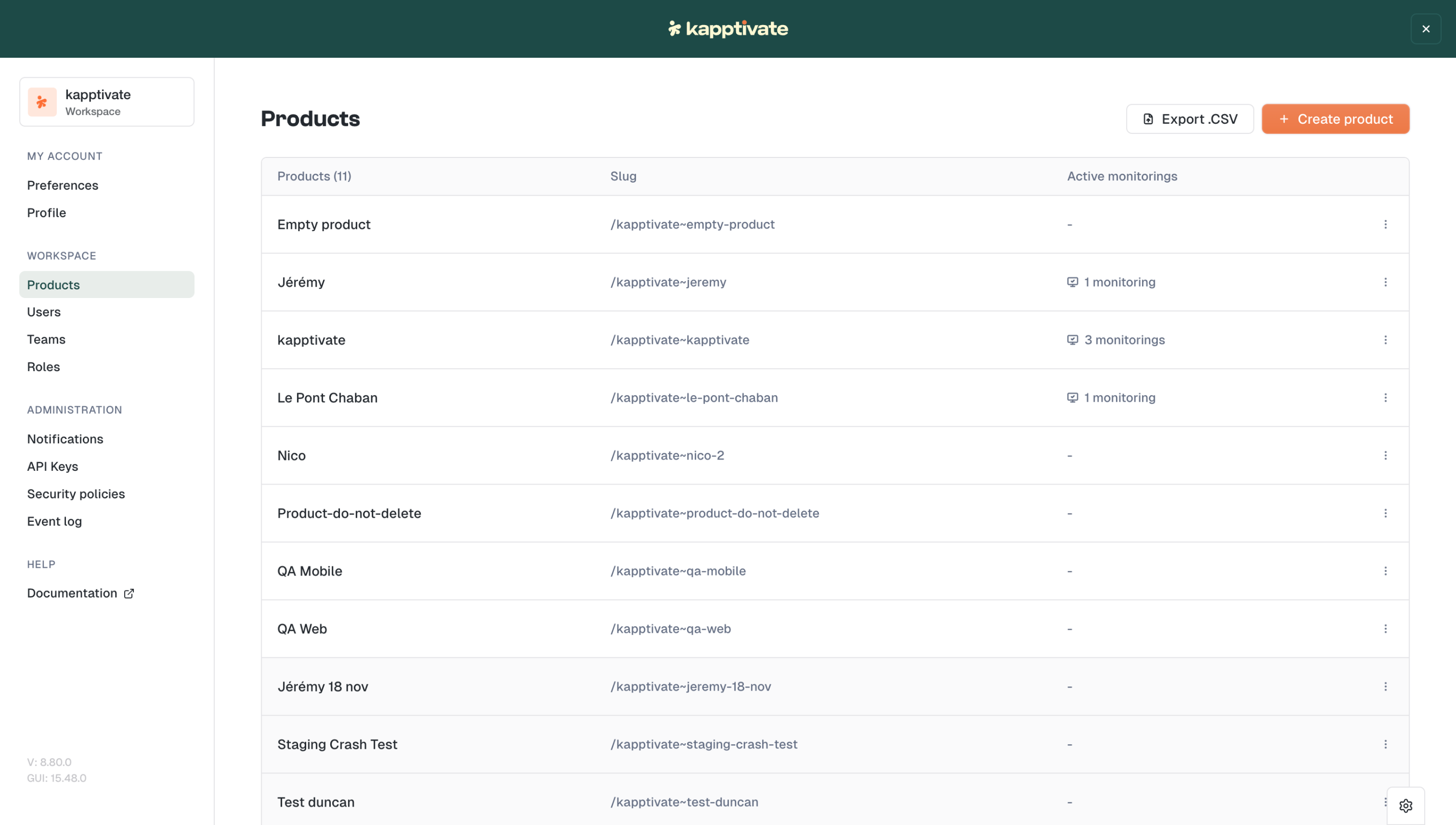
You can now configure step delays and selector timeouts directly in your test settings. Perfect for handling slow-loading elements or adding breathing room between actions.


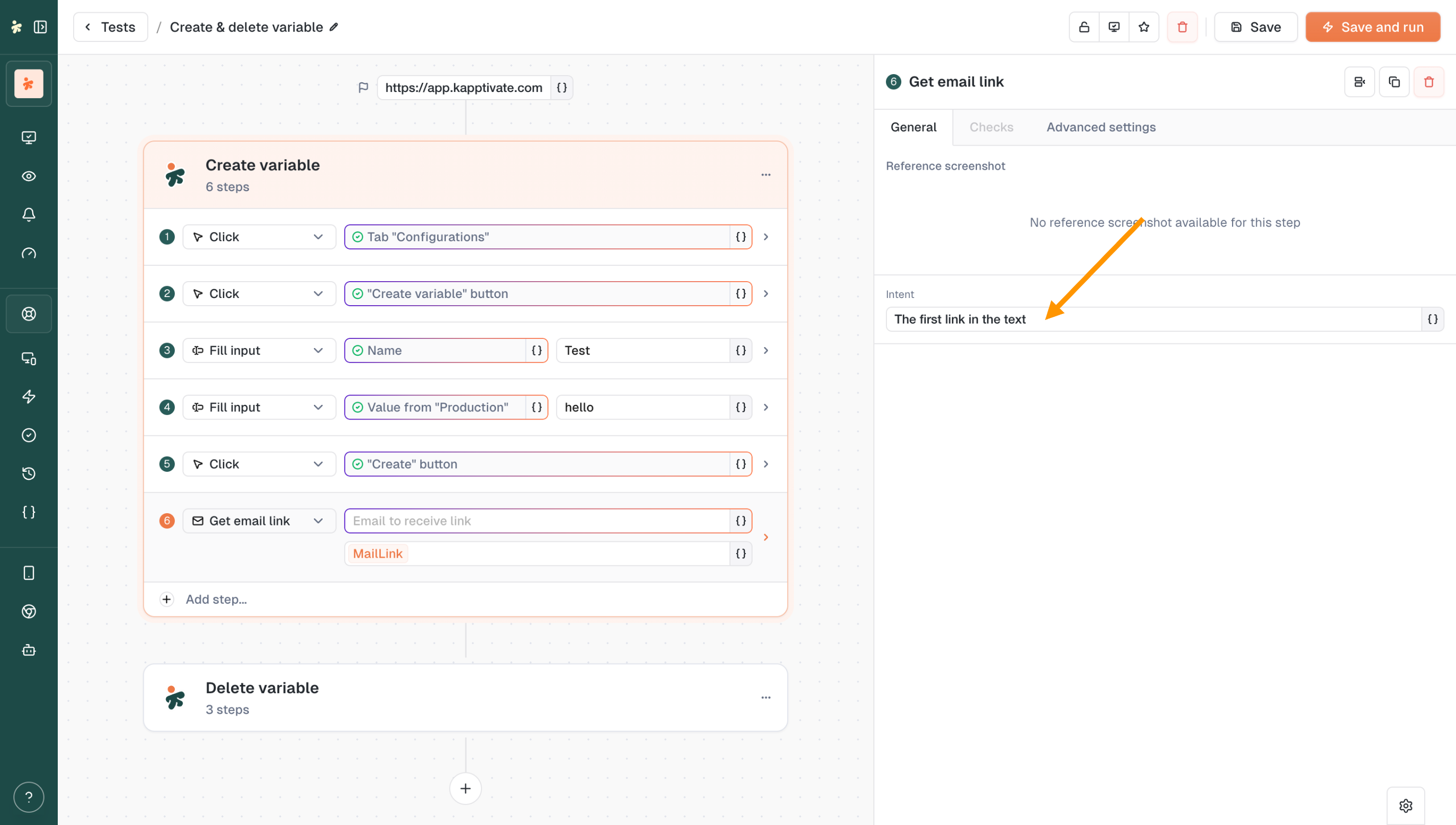
πŸ”— New: Intent Field for Get Email Link

The Get email link action just got smarter.

The new Intent field lets you specify exactly which link to retrieve from an email. Whether it's "the first link in the text," a password reset link, or a verification URL, you're now in control of what gets captured thanks to our AI.


🧭 Improved: Collection Navigation

Moving through your test collections is now more intuitive.

We've reworked the back buttons and breadcrumbs to make navigation feel natural. No more wondering where you'll end up when you click back.


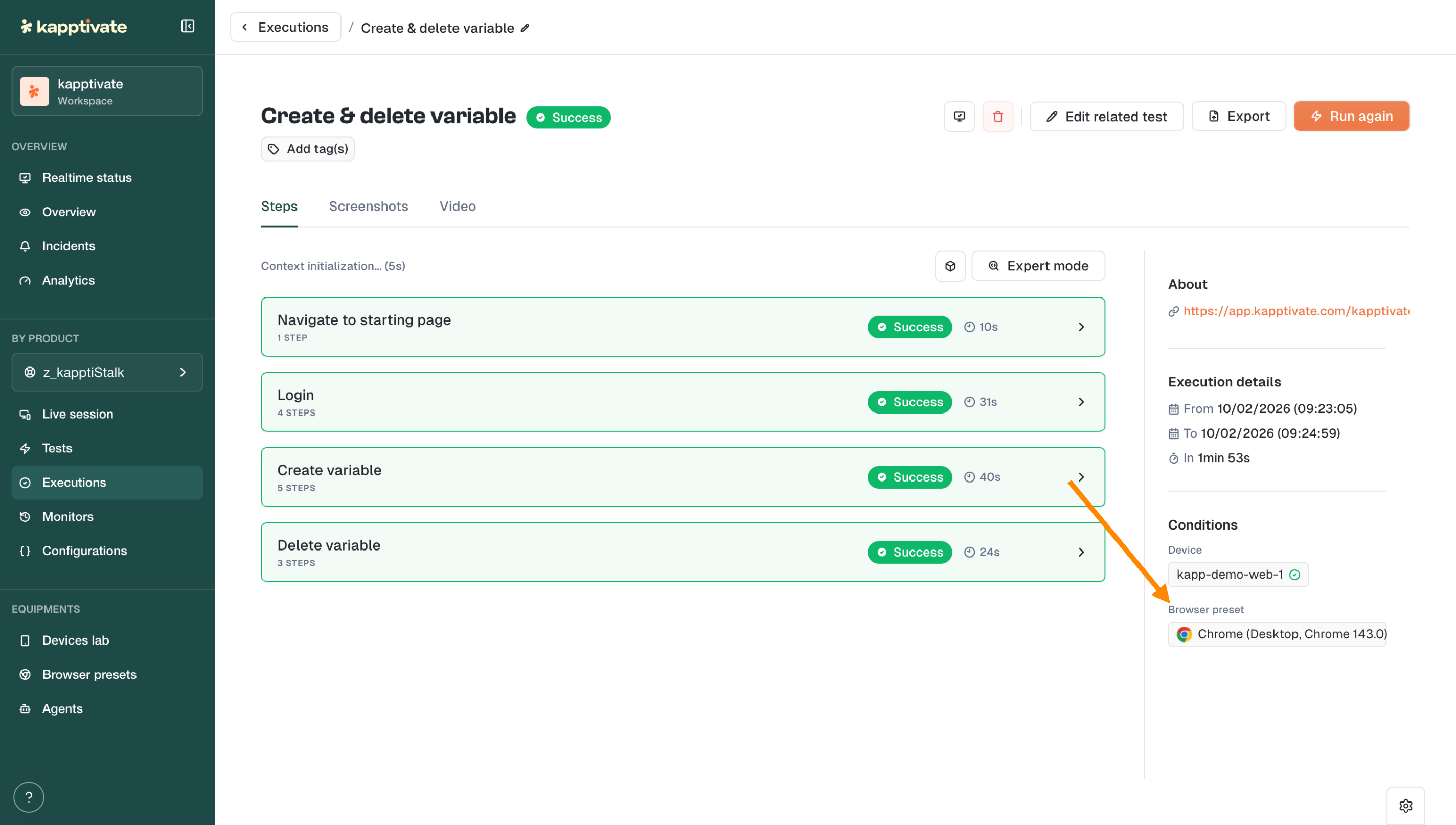
πŸ“‹ Improved: Browser Preset in Execution Details

You can now see which Browser Preset was used directly in the execution details page.

At a glance, know if that test ran on Chrome Desktop, mobile Safari, or any other configuration. No more guessing.


✨ UX Polish

  • Preserved element selection: When changing an action type, your recorded element stays selected

  • Consistent iconography: Updated icons across the interface for better visual coherence

February 10th, 2026

This release is packed with features you've been waiting for. Automate repetitive setup and teardown with Hooks, test across any browser and screen size with Browser Presets, and filter your Realtime Status with surgical precision. Plus, all your agent types now get the same love with brand new detail pages.


πŸͺ New: Hooks β€” Automate Before & After Actions

Say goodbye to repetitive setup and cleanup steps scattered across your tests.

Hooks let you run step groups automatically at key moments:

  • Before a test: set up your environment, log in, prepare data

  • After a test: clean up, log out, reset state

  • Before each step: add consistent pre-conditions

  • After each step: capture screenshots, validate state

Define it once, reuse it everywhere. Your tests just got cleaner and more maintainable.


🌐 New: Browser Presets β€” One Test, Every Device

"How do I test my site on mobile?" You asked, we delivered.

Browser Presets let you configure and save browser configurations including:

  • Browser type: Chrome, Firefox, Edge, Safari...

  • Screen size & viewport: desktop, tablet, mobile

  • Timezone & locale: test like your users experience it

  • Custom headers: add authentication or custom parameters

Create a preset, select it in your test, and you're good to go.


πŸ” New: Advanced Realtime Status Filters

Your monitoring just got smarter.

The new filter groups on Realtime Status let you build complex queries with OR / AND logic:

  • Group filters together

  • Choose how groups combine

  • Get exactly the view you need

Whether you're tracking specific products, zones, or test types, you're now in full control.


πŸ“± New: Agent Details Pages for All Agent Types


Following our Web Agent redesign, Cellular, Passive, and Smartphone agents now have their own dedicated detail pages with a clean tabbed interface:

  • General: agent info and quick actions

  • Connected Devices: see all SIMs, smartphones, and devices at a glance

  • Monitors: all monitors running on this agent

  • Settings: configuration and management

A unified experience across all your agents.


⚠️ New: Device Issue Status in Monitors

When a monitor fails due to a device issue, you'll now see it clearly.

No more guessing whether it's your test or your hardware. The new device issue status makes troubleshooting straightforward.


✨ Improvements

  • Custom capabilities for everyone: Custom browser capabilities are now available to all users in web test settings

  • Faster filters: Improved performance on Realtime Status filter operations

  • Product visibility: Product name now displays on Realtime Status in display mode

  • Smoother forms: Web test creation forms performance improvements

  • Tighter permissions: Agent settings actions (Auto Updates, Delete, Reset Password) now restricted to Super Admins with clear tooltips

  • Teams webhook proxy support: Microsoft Teams webhooks now support proxy and insecure skip verify options


πŸ› Fixes

  • Fixed crash on old alert format

  • Executions now display start date instead of created date

  • Fixed alignment issues in browser preset modal

  • Fixed execution list not showing date for queued tests

  • Fixed inability to add headers when editing browser presets

  • Removed duplicate and deprecated timezone options

  • Fixed bulk monitor device edition

  • Fixed StepDetails panel closing unexpectedly when changing step type

  • Fixed monitors page crash during data loading

  • Fixed web edition losing data when editing steps

  • Fixed tags disappearing when saving unmodified tests

  • Fixed missing French translations for SIM slot reboot

  • Fixed login and password reset pages incorrectly requiring authentication

  • Fixed missing scheduling tooltip translation on Realtime Status

  • Fixed broken SIM links in Cellular Agent Connected Devices tab

January 14th, 2026

This release brings powerful new ways to manage your testing workflow. Whether you need to stop a test mid-execution, fine-tune how you visualize your Realtime Status, or get deeper insights into your web agents: we've got you covered.

πŸš€ New: Cancel Running Web Tests

You asked for more control over your test executions β€” we heard you!

You can now cancel running executions directly from the new no-code web tests. Whether you're in the test creation form or browsing your test list, stopping a test is just one click away.

No more waiting for a test to finish when you've spotted an issue early. Just hit Cancel execution and move on.


πŸŽ› New: Display Options on Realtime Status

A brand new Display button has landed on the Realtime Status page, giving you full control over how you visualize your monitoring data:

  • Cards or List view - choose the layout that works best for you

  • Flexible bar charts - disable the 100% stacked view to see actual execution counts

  • Grouping & columns - organize your data by product, adjust column count

  • Time range & execution display - customize exactly what you see

Your dashboards, your way.


πŸ–₯️ New: Web Agent Details Page

The Web Agent details page has been completely redesigned with a clean, tabbed interface:

  • General - agent info, status, and quick actions (reboot, test-only mode, maintenance)

  • Usage - see how your agent is being utilized

  • Capacity - monitor available resources

  • Monitors - view all monitors running on this agent

  • Settings - configure agent behavior

  • Event logs - track everything happening on your agent

Everything you need to manage your web agents is now in one place.


✨ Improvements

  • Run tests faster: The CMD/CTRL + ENTER shortcut now submits the form and runs the test without needing to save first

  • Teams webhook support: Workflow webhooks now work with Microsoft Teams

  • Smarter collection handling: Creating a test from a collection now places it in the correct collection automatically


πŸ› Fixes

  • Fixed agent reboot not working properly

  • Resolved excessive test version creation

  • Optimized page loading performance

  • Variable names no longer change unexpectedly when updating values

  • Fixed empty state and SIM table appearing simultaneously

  • Added scroll to the Create Variable Group modal

  • Fixed crash on execution drawer

  • Status dropdown in tests table now renders consistently when open and closed

  • Variables can now be properly overridden in scripts

  • Excel report generation no longer shows false failure messages

  • Fixed bulk monitor creation from tests

  • Users now see a notification when copying a product with missing variables

  • Fixed variables override behavior

  • Execution time now displays correctly in web form v2

  • Fixed missing status in Send SMS action


As always, your feedback helps us improve. Let us know what you think!Β