Describe the element you are looking for, and let Vision find it on the screen 👁️
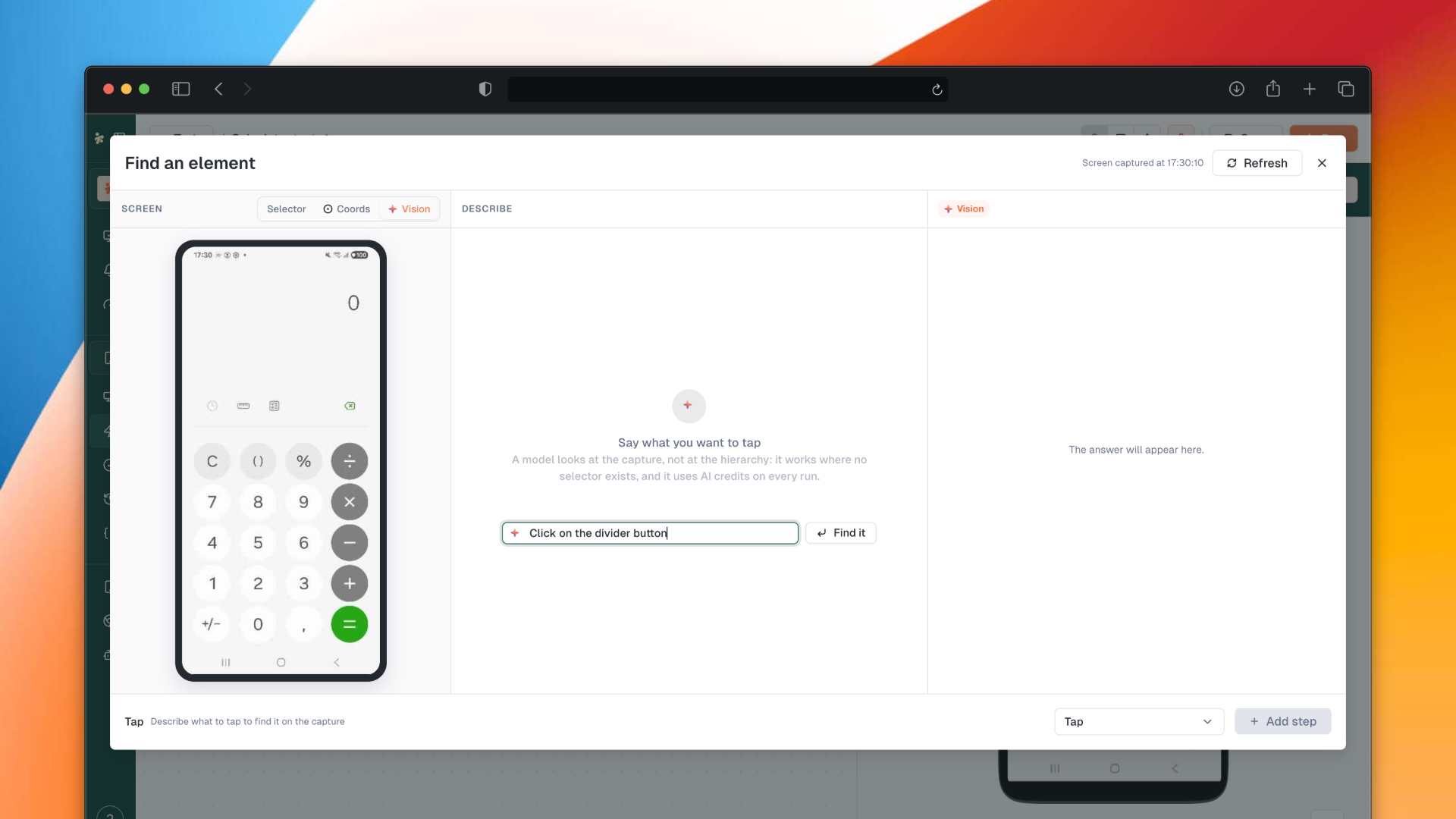
Find an element gains a Vision mode: describe what you want in plain language and the screen is read for you, instead of hunting through the hierarchy. The rest of this release is stabilisation, and a dense one: faster execution loading, a crash on load fixed, the password reset flow repaired end to end, and a long pass on the recorder, the Realtime views and the test editor.
👁️ New: Vision mode in Find an element
Open Find an element and switch to Vision: describe the element you are after, and the mode reads the screen to locate it for you. It picks up where the hierarchy stops being readable, on a canvas, a custom rendering, or a screen whose tree says nothing useful.
📬 Improved: sender filters in the Notifier
A sender can now be authorised by pattern, *@yourdomain.com covering every address of a domain, and the filters are split into numbered variables so a long list stays manageable.
🐛 Fixes
Stability and performance
The app no longer fails to load with a
crypto.randomUUIDerrorExecution pages load much faster
One flaky Android device no longer takes its whole agent down, iOS reboot commands are spaced out and stop once the device leaves the list, and a resource registration is no longer cut short by whatever triggered it
Password reset
A reset link works even when the browser is still signed in
A malformed token answers with a clear error instead of a server error, and blank fields are treated as no link at all
The password policy no longer returns its verdicts without a valid token
Recorder and element picking
The "Use recorder" button works on an URL without HTTPS, and on Microsoft Edge
The smartphone XML modal respects the screenshot ratio and places elements correctly on the devices where it was off
Find an element uses the right coordinate scale for iOS on execution results
Test editor
Test V2 no longer renders oversized
The selector field is no longer truncated on the steps that carry an operator
The "after" and "after each" hooks run when a test fails
Realtime
The browser back button returns to the view you had chosen, not the default one
The view editing options work again, and the details page no longer scrolls twice
The By product pages of the menu lead where they say
Alerts and incidents
The SMS alert regression is fixed
failure_reasonis carried in the payload when the test result has oneThe incidents dropdown loses its stray red dot, and clearing a filter clears its value too
Elsewhere
International MSISDN flags are no longer truncated on the SIM details
The resource usage status is consistent again