Checks redesigned, in-test variables & campaign monitors 🧬
KTM 8.93
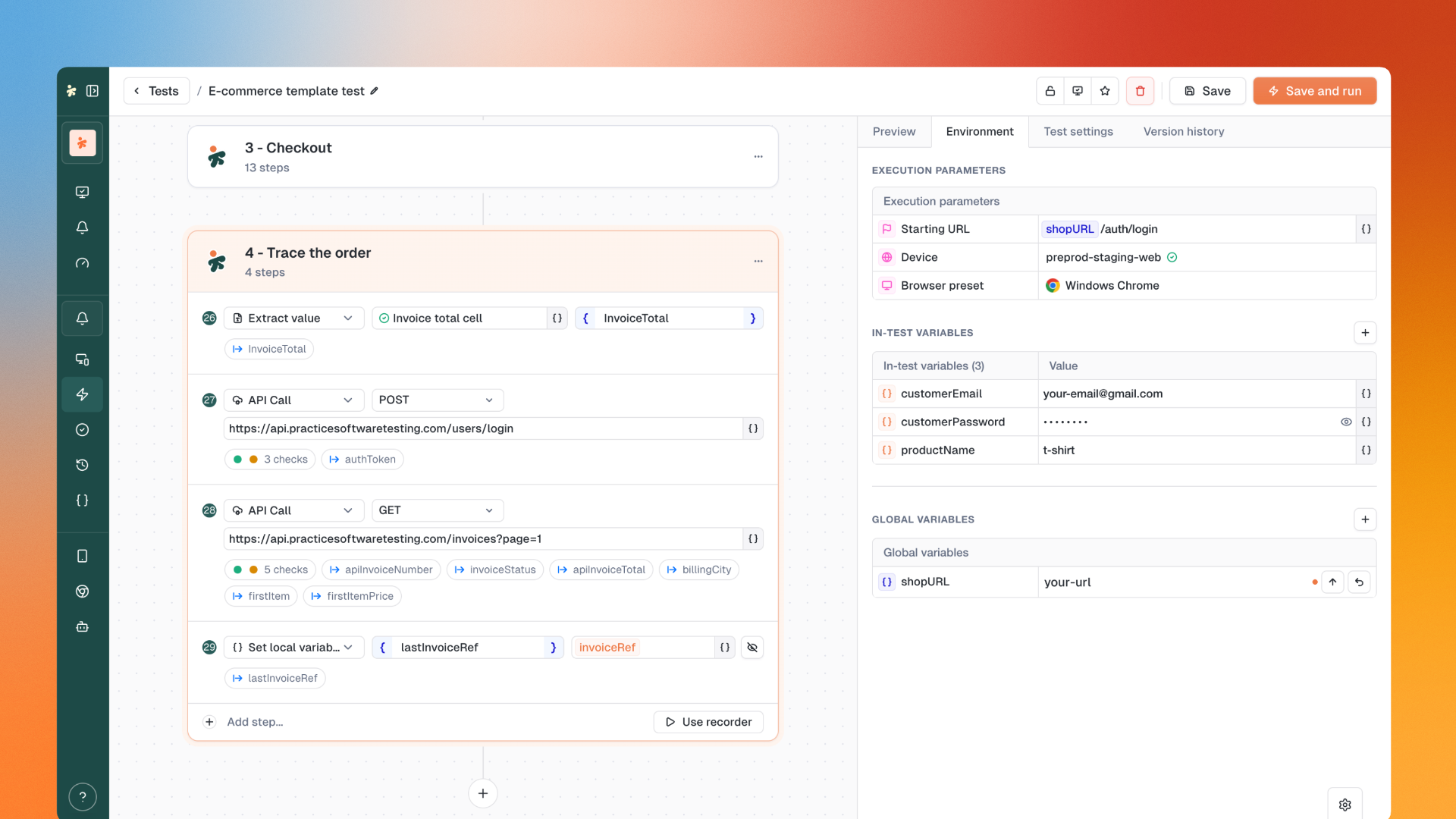
A major release. Checks are now tailored to each step type with clear plain-language conditions. Variables become a real input/output system with runtime capture and updates. Monitors can now watch entire test campaigns. And yes, dark mode is here 🤩 .
✅ New: Checks, redesigned from the ground up
Checks are no longer one-size-fits-all. Each step type now offers checks that make sense for what it does.
What's changed:
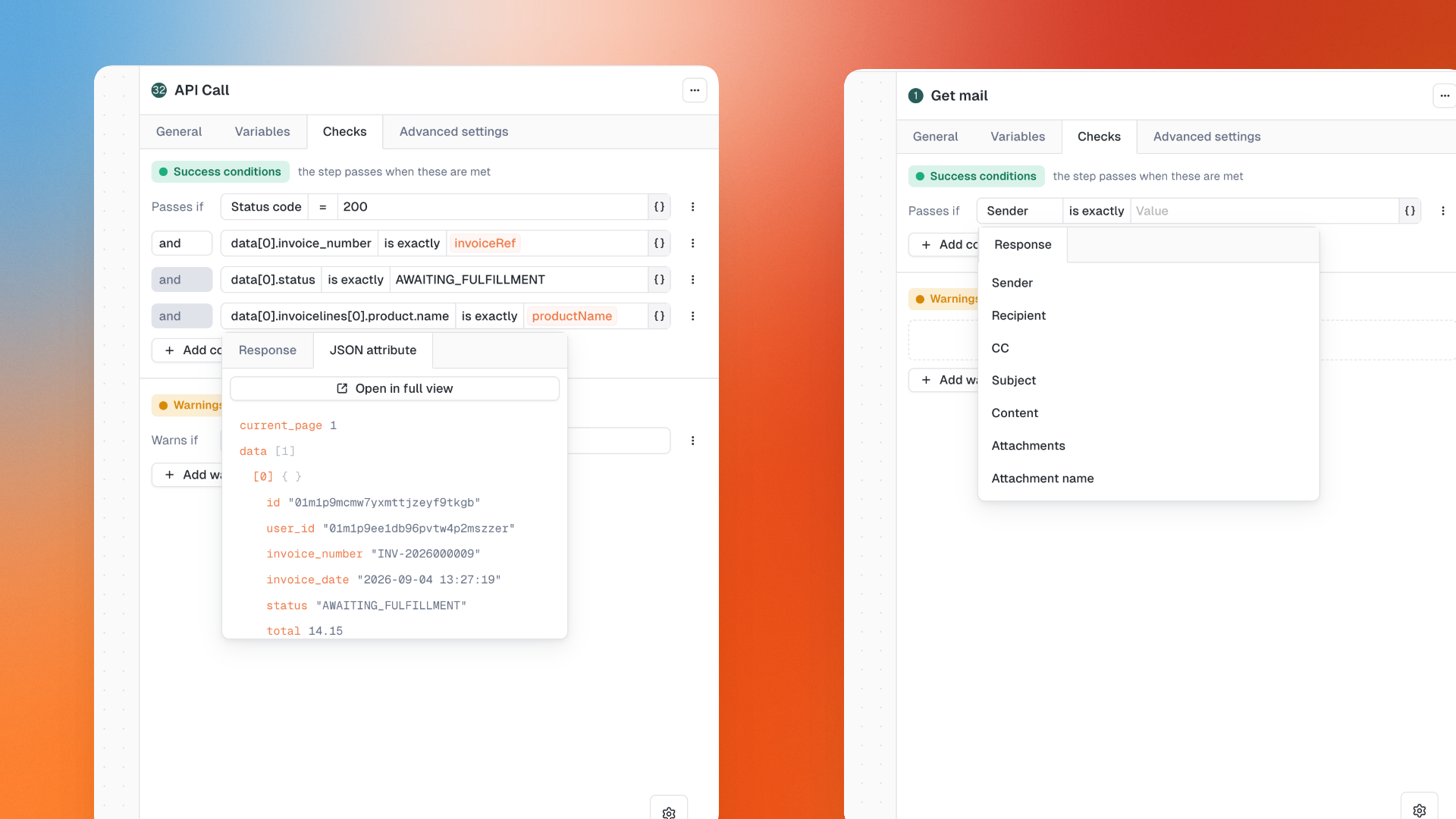
Step-specific checks: API, email and web steps each get their own relevant checks
Success and warnings are independent: A warning no longer decides whether a step passes. It's always reported separately.
Plain language conditions: "Passes if Status code = 200", "Warns if Response time > 10s"
AND/OR logic on both success conditions and warnings
Existing tests keep their exact pass/fail logic unchanged.
🔍 New: API, Email & PDF Checks
API responses: Target a specific JSON field, use variables in header names or XML paths, compare body structure with the new matches-JSON operator.
Get mail steps: Check sender, recipient, CC, subject, content and attachment name.
New Check PDF step: Download a PDF from a URL and check its extracted text, page count, file size and file name.
🧬 New: In-test variables, inputs and outputs
Variables become a proper input/output system.
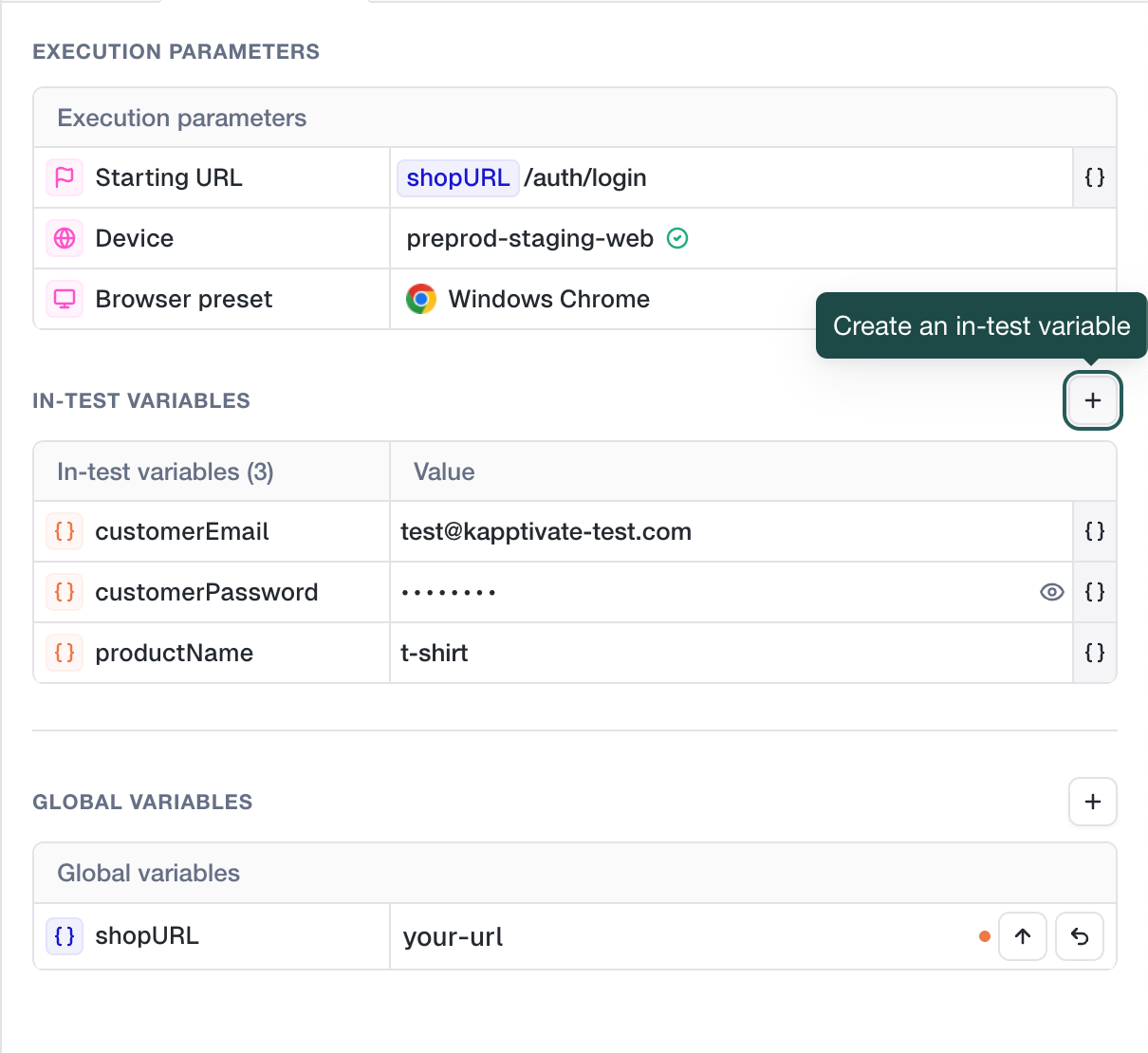
Declare inputs where the test lives. The Environment tab is now grouped into sections with + buttons to create in-test variables, global variables or variable groups without leaving the form. Duplicate names are blocked with an inline error.
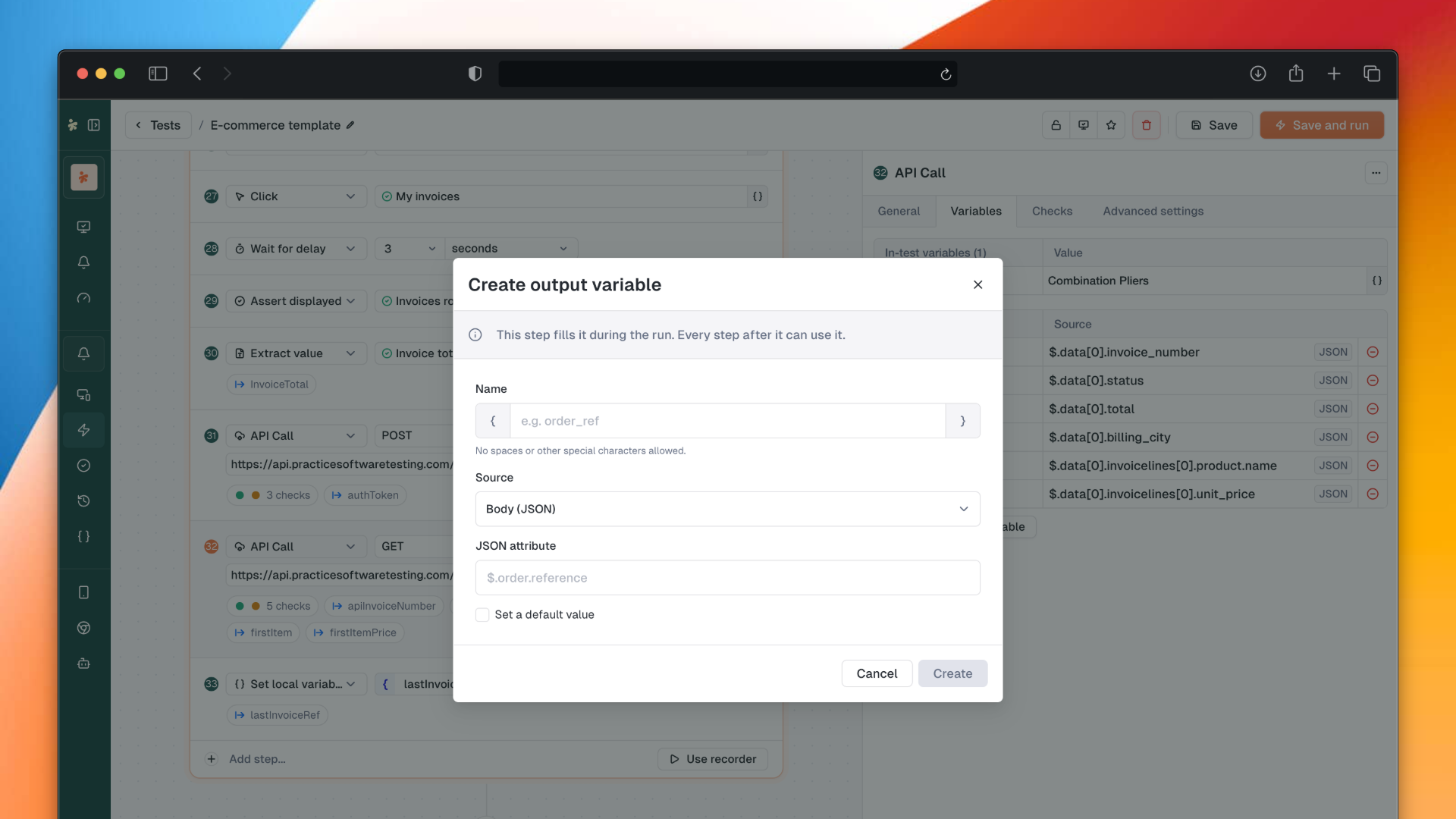
Capture outputs from the run. An API Call step can write its response into a variable: from a JSON path, an XML path, the entire body or a response header. Optional default values prevent step failures when nothing is extracted. Steps that create variables show them as a blue chip on the canvas.
Update a global variable at runtime. The new Update Variable step (web and smartphone) reassigns an existing variable while the test runs. A token captured at step 3 can be written into a global variable and used by whatever comes next.
Set Local Variable owns its value. The former Set Variable step now holds both name and value, accepting variables and random functions. Its variables can no longer be overridden at launch: the step is the single source of truth.
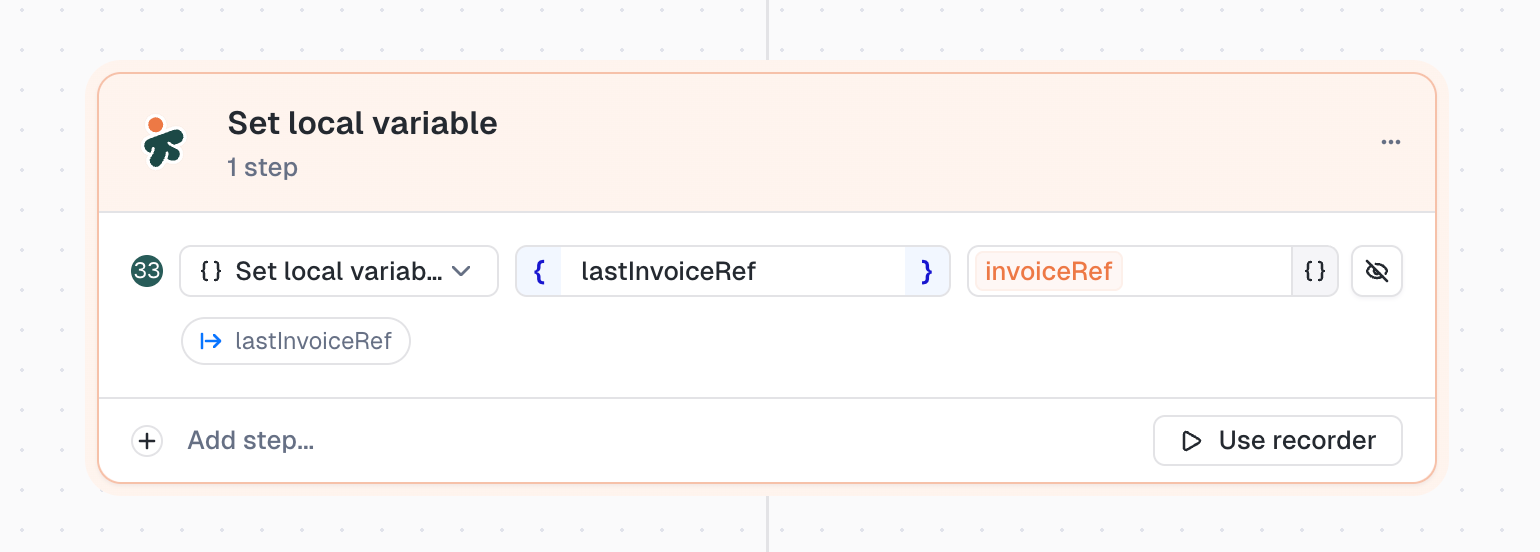
Hide sensitive values. In-test variables and Set Local Variable steps can be masked in execution results. The flag follows into run confirmation, monitors and campaign overrides. Reveal on demand when needed.
Scoped suggestions. Variables created by a step are only suggested in steps that follow it. References above their creating step show as a red tag.
Cascading renames. Renaming a variable updates checks, campaigns and monitors that use the test, with a toast reporting what was updated.
🎯 New: Monitor a whole test campaign
Create a monitor on a test campaign instead of one monitor per test.
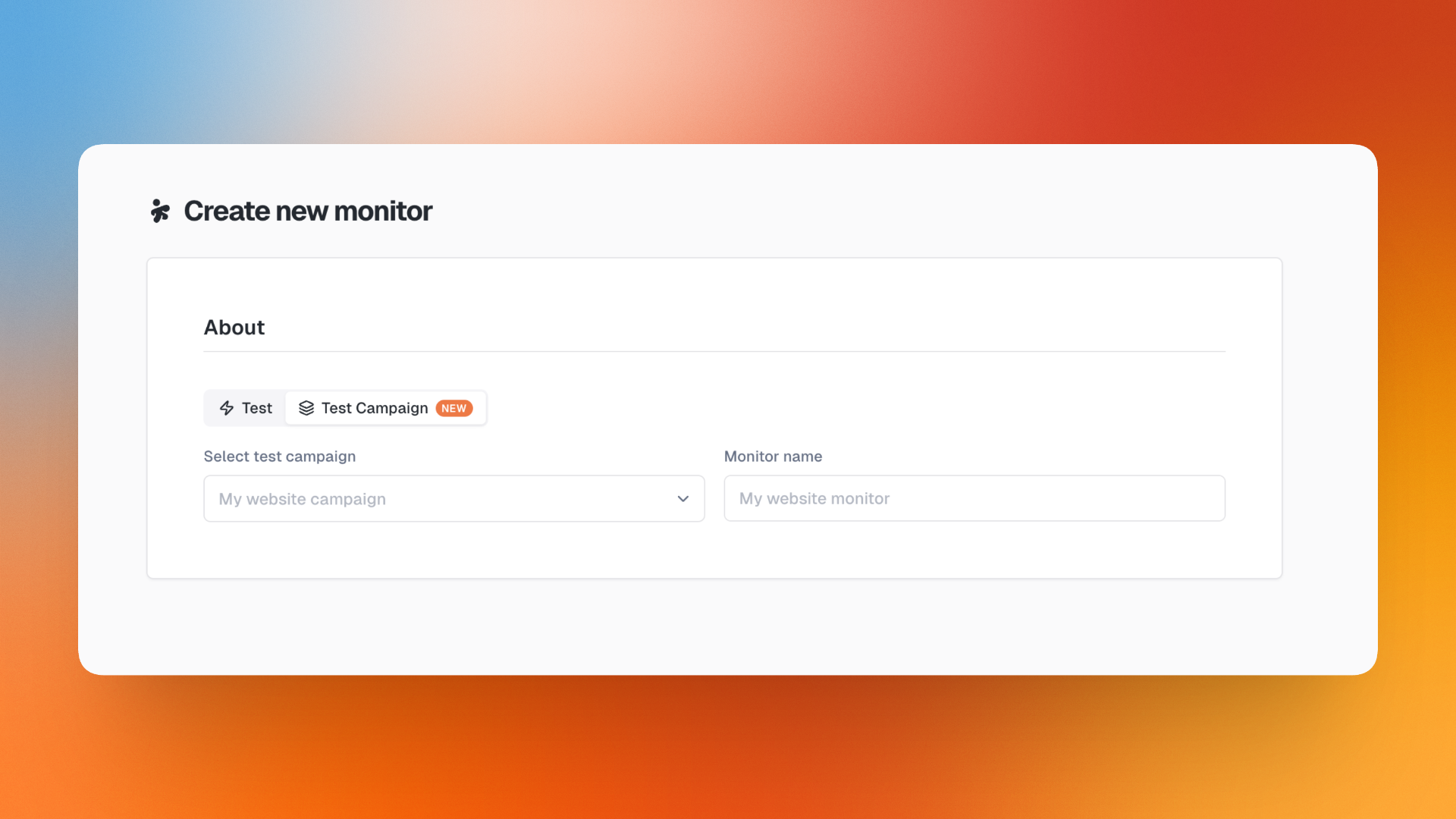
Campaign monitors support per-test overrides and show up in the monitors list with a type filter. In the Realtime Status dashboard, drilling into a campaign shows an aggregated verdict, success count and per-test breakdown.
🧩 New: Custom step library
JS snippets can now live in a library and be referenced by your tests instead of copied into each one.
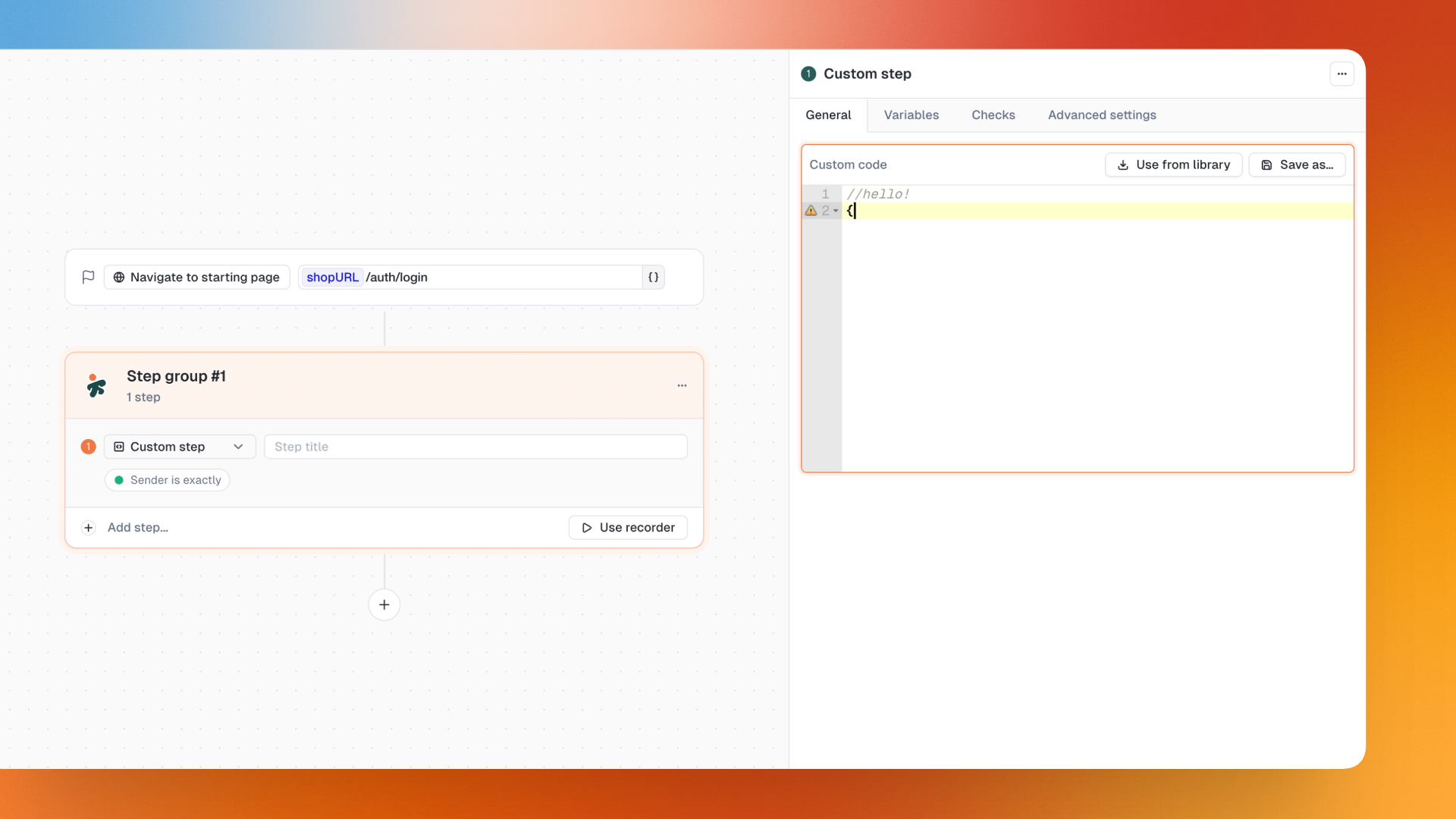
A linked Custom step shows the library step it points to, with a read-only view of its code and a way to detach. Editing or deleting a library script tells you how many tests it will update.
Custom step code is now edited directly in the step panel, like every other step type.
🌓 New: Dark mode
Pick your display mode in My Account → Preferences: Light, Dark, or Auto to follow your system.
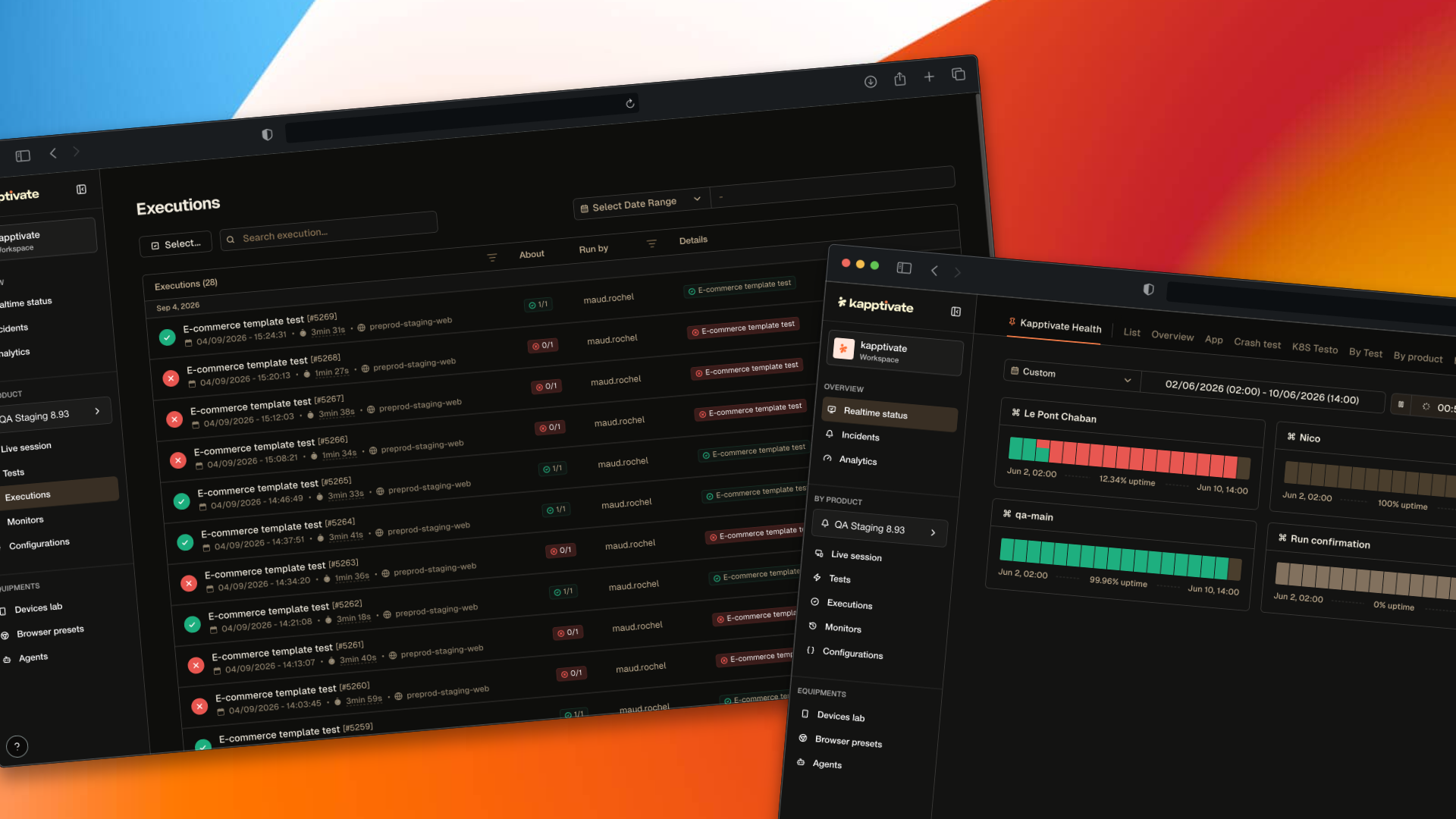
TV mode gets its own day/night toggle in its top bar, so a screen left running in a control room can be set independently from your personal preference.
✨ Other Improvements
BrowserStack support: Back-end ready, front-end with agent setup coming soon
Send results by email: Export execution results directly from the execution details page
USSD Live export: Export a USSD Live session as a real Excel test report
Product switcher: Switch between products from the Status Details breadcrumb
Chronological order: New timeline option with oldest bucket first
TV mode timeline: Compacts itself, filter popover can select all tests at once
Cleaner step display: Extract value, SMS code, mail code, email link and Get text steps show selector and variable name on one line
Legacy Overview removed: Bookmarked URLs redirect to Realtime Status
Compact check rows: More space-efficient layout
Bulk delete checks: Right-click the "N checks" chip to delete all checks at once
🐛 Fixes
Campaign monitors now carry every in-test variable of every test, so steps get values shown in the form instead of empty values
Running a campaign with the same test multiple times keeps the variant configured for each occurrence
Typing in the middle of a variable field no longer moves cursor to the end
Opening tests created before JSON path checks update no longer crashes the editor
Email checks on Get mail steps survive every save path
Step details panel scrolls when there are more checks than fit on screen
Long JSON paths and values no longer overflow check rows
Variables extracted by a step no longer ask for an input value
"Add tests" modal in campaigns no longer comes up empty for operators with 100+ products
Reusable components no longer leak into test list screens
Web recorder can start when starting URL contains variables
Test campaigns show the selected value of choice variables, no longer showing secret variables as empty in red
Opening fullscreen images from execution results displays above the modal